This article describes how users with Administrator role can add yourself to an existing Cintoo project and how to remove yourself from a Cintoo project.
Permissions: users with Account Owner and Administrator role can add themselves to any project in a Cintoo account as BIM/VDC Manager role, or remove themselves from any project in a Cintoo account.
Add Yourself to a Project
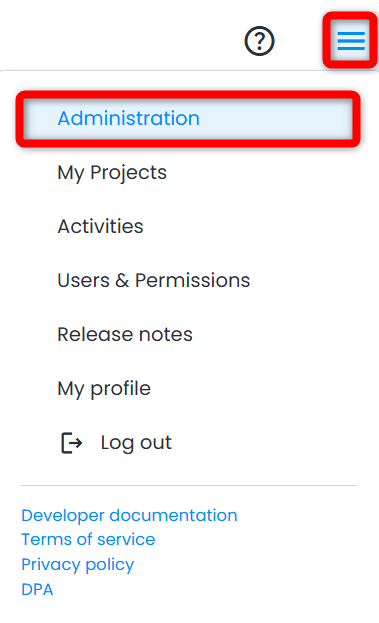
1. Go to Administration from burger menu on the top right > Subscriptions tab.
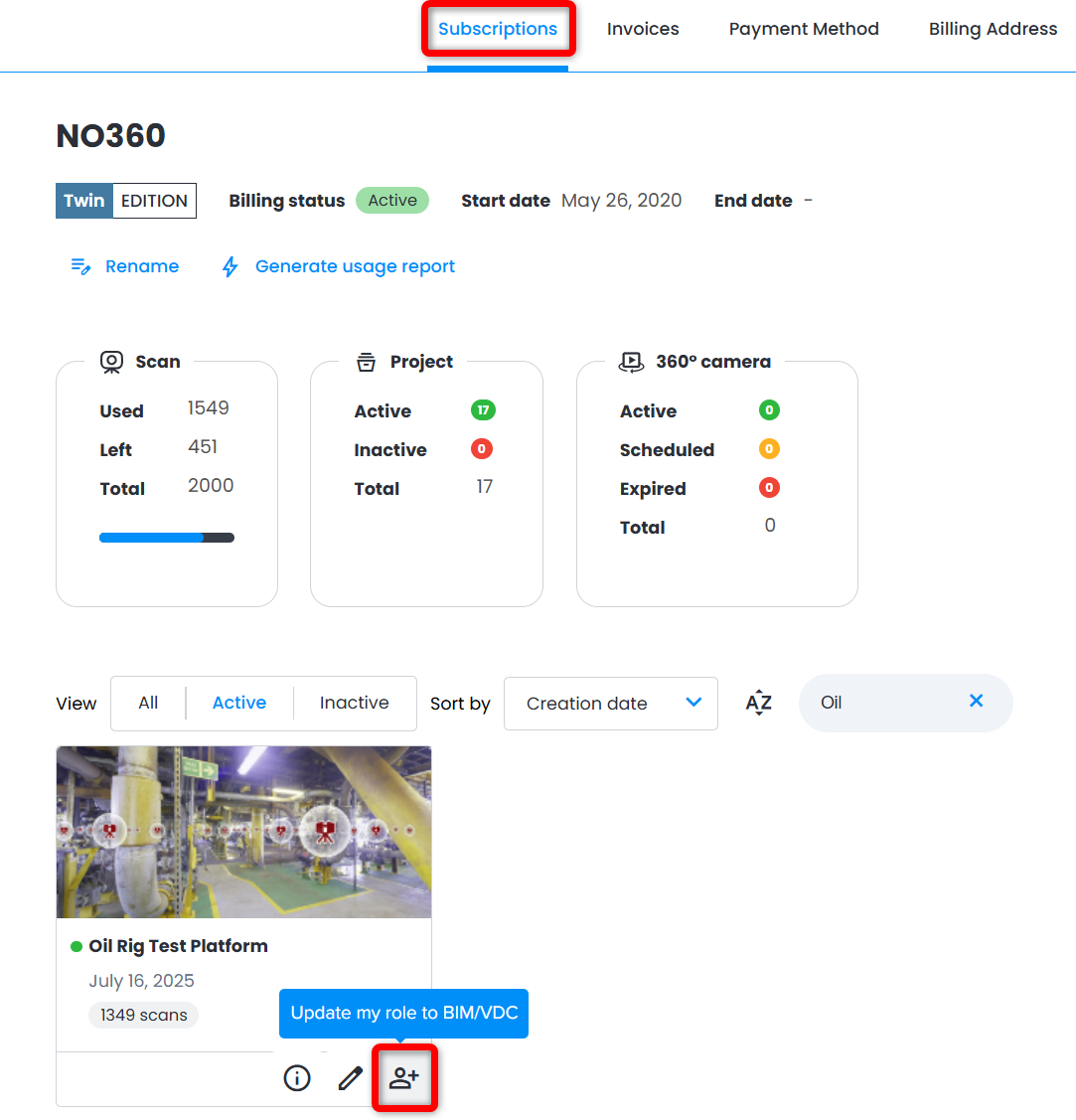
2. In the lower part of the menu find the desired project and click Update my role to BIM/VDC.
Remove Yourself from a Project
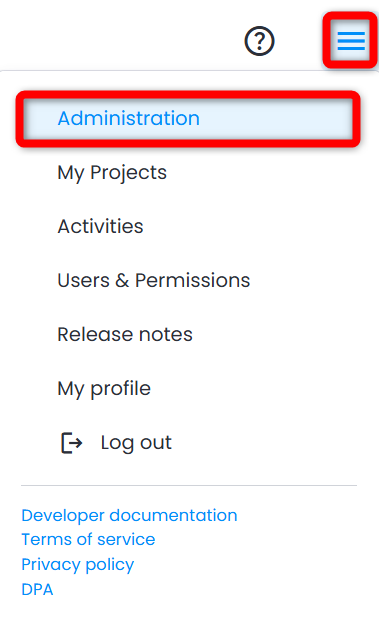
1. Go to Administration from burger menu on the top right > Subscriptions page.
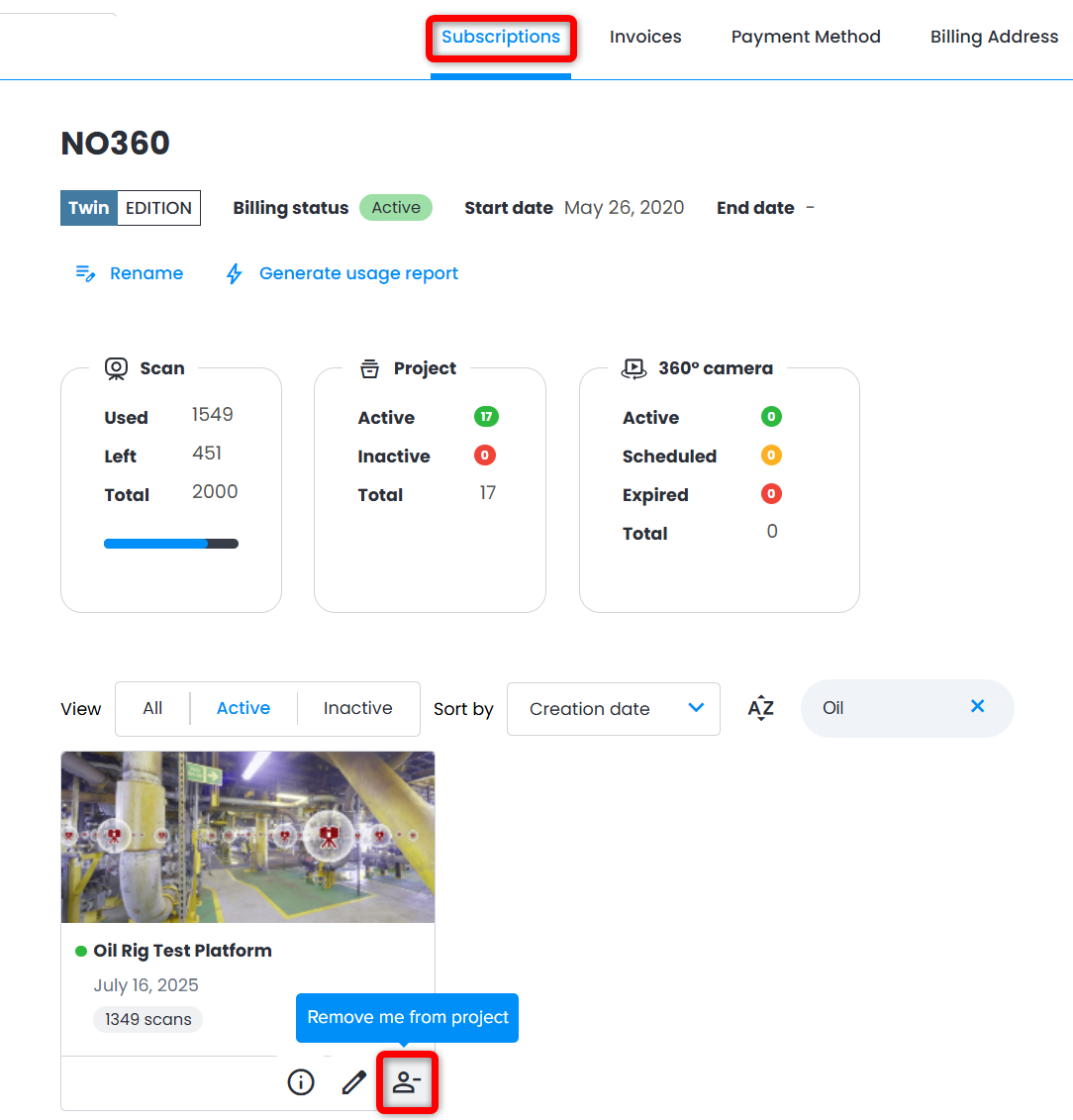
2. In the lower part of the menu find the desired project and click Remove me from project.
Was this article helpful?
That’s Great!
Thank you for your feedback
Sorry! We couldn't be helpful
Thank you for your feedback
Feedback sent
We appreciate your effort and will try to fix the article