This article covers the steps to move an existing Cintoo project from one Cintoo subscription to another.
Permissions: only users with Account Owner, Administrator role can move a project to another Cintoo subscription from Administration page.
Permissions: additionally users with Project Owner role can move a project to another Cintoo subscription from My projects page.
For users with Account Owner and Administrator this option is also available.
TABLE OF CONTENTS
From Administration Page
Cintoo subscription that contains the project to be transferred and Cintoo subscription where the project needs to be transferred to must be under the same Cintoo account (i.e. both Cintoo subscriptions must be listed under Administration from burger menu on the top right > Subscriptions > Plans in order to do the following steps).
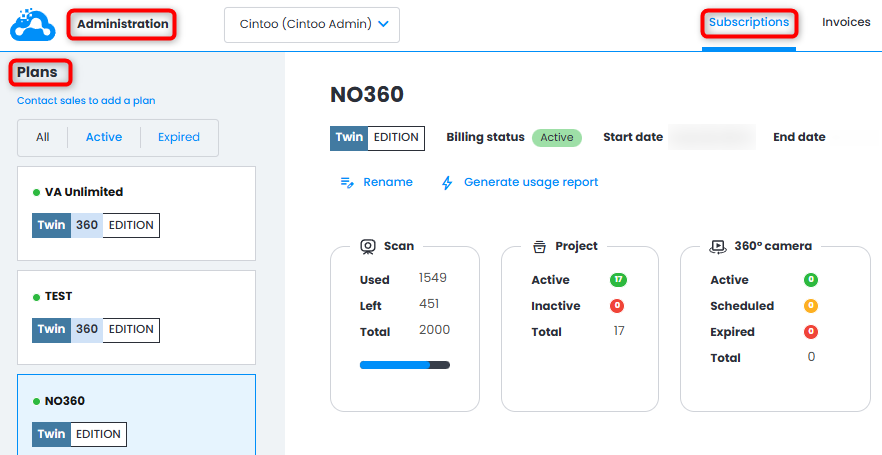
1. Go to Administration from burger menu on the top right > Subscriptions.

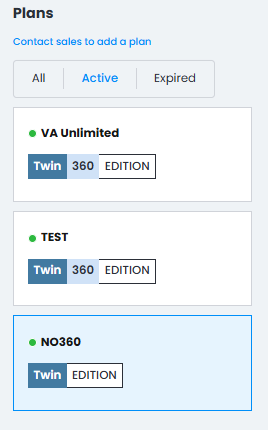
2. Choose the plan under Plans on the left side where the project is listed.
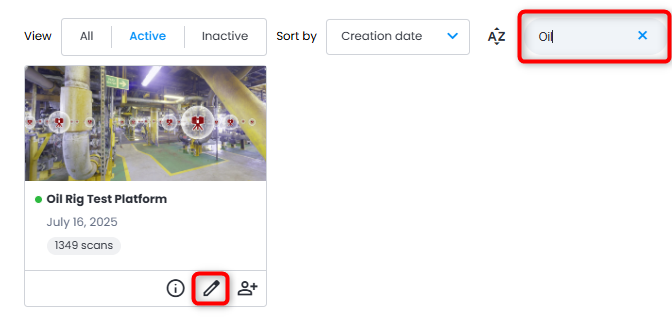
3. Find the project to be moved (use filters or Search bar if needed) and click Edit project.
4. In Edit Project menu, click drop-down menu under Subscription, select a plan where the project should be moved to, and click Update.
Scans left in destination plan must be greater than Scan Count of the project being moved.
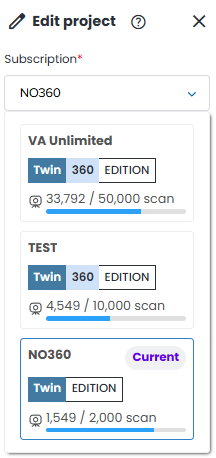
5. Click Update at the bottom of the menu. Project will now be moved to a desired plan.
From My Projects Page
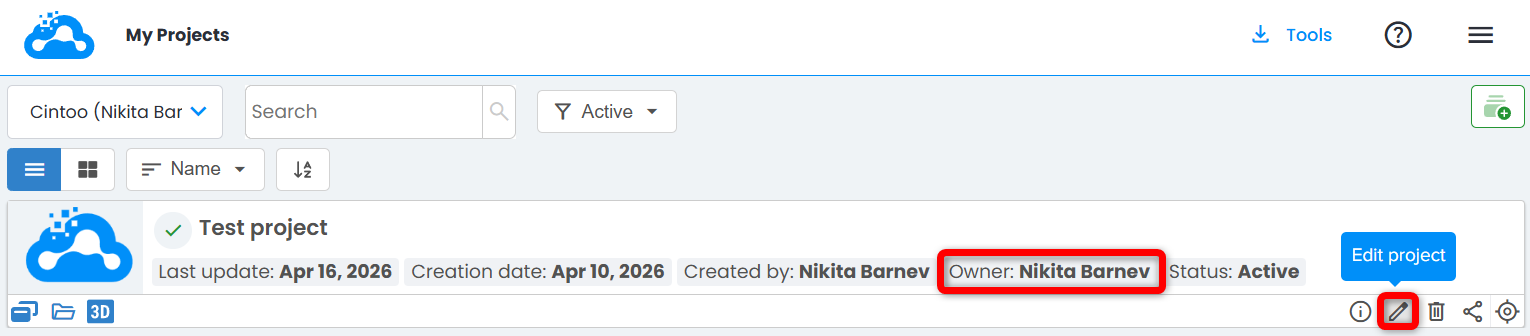
1. As Project Owner navigate to My projects page. Find a project you created. Click on Edit project.
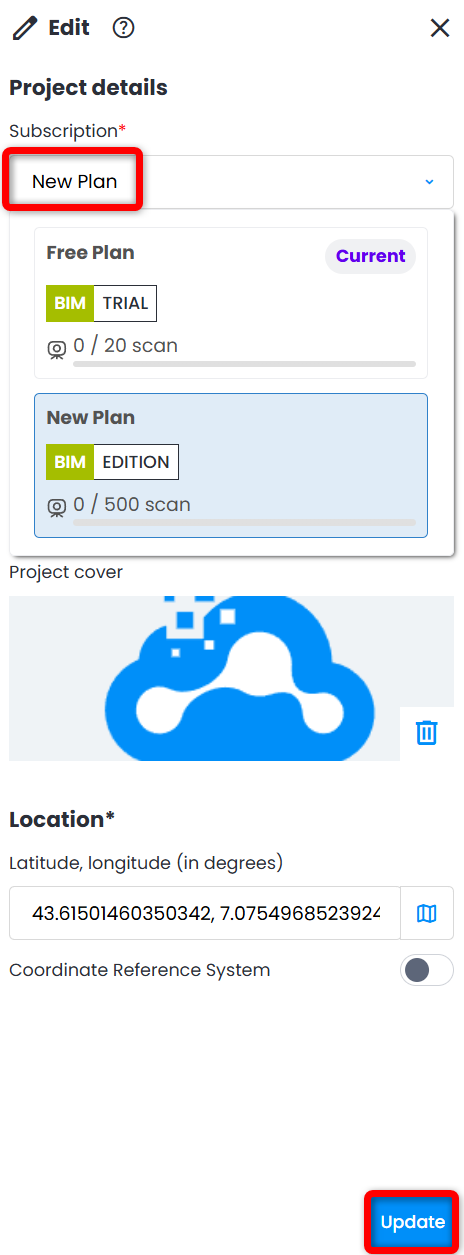
2. In Edit menu opened on the right change Subscription from the drop-down menu.
Scans left in destination plan must be greater than Scan Count of the project being moved.
Click Update to apply the change.
Was this article helpful?
That’s Great!
Thank you for your feedback
Sorry! We couldn't be helpful
Thank you for your feedback
Feedback sent
We appreciate your effort and will try to fix the article