This article describes how to obtain coordinates of a point in 3D space.
- Open scans in 3D View and navigate to the area of interest.
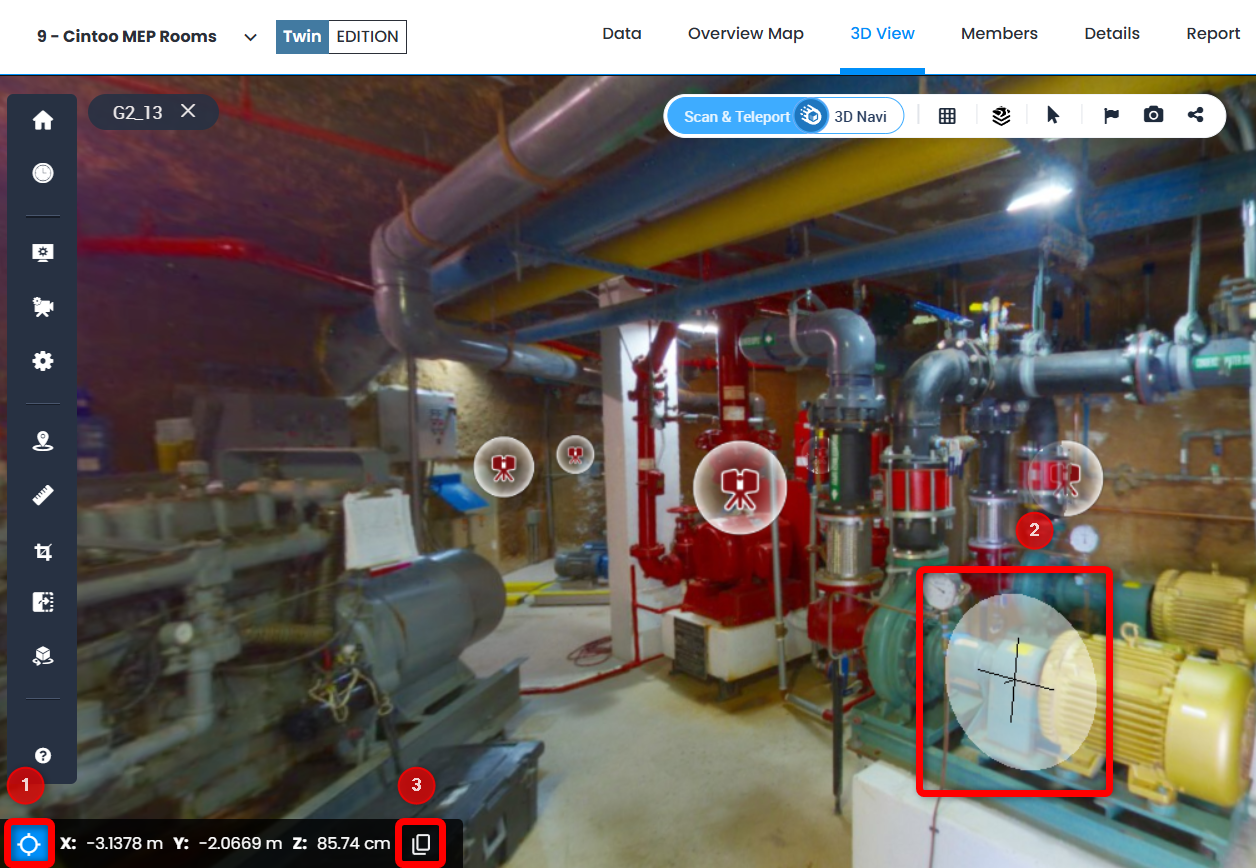
- Click on Coordinate picker at the bottom left of 3D View.
- Click anywhere on 3D data
- Click Copy on Coordinate picker panel
- Values picked are saved in memory and even if Coordinate picker is closed, once opened the values would be there and could be copied again, but the target on the 3D data is not shown anymore.
- To quit coordinate picking mode click on Coordinate picker again.
Was this article helpful?
That’s Great!
Thank you for your feedback
Sorry! We couldn't be helpful
Thank you for your feedback
Feedback sent
We appreciate your effort and will try to fix the article