Follow these steps to add Cintoo as a card on Autodesk Forma project dashboard.
- Open the desired Autodesk Forma project, and select Insight from drop-down menu shown on the screenshot.
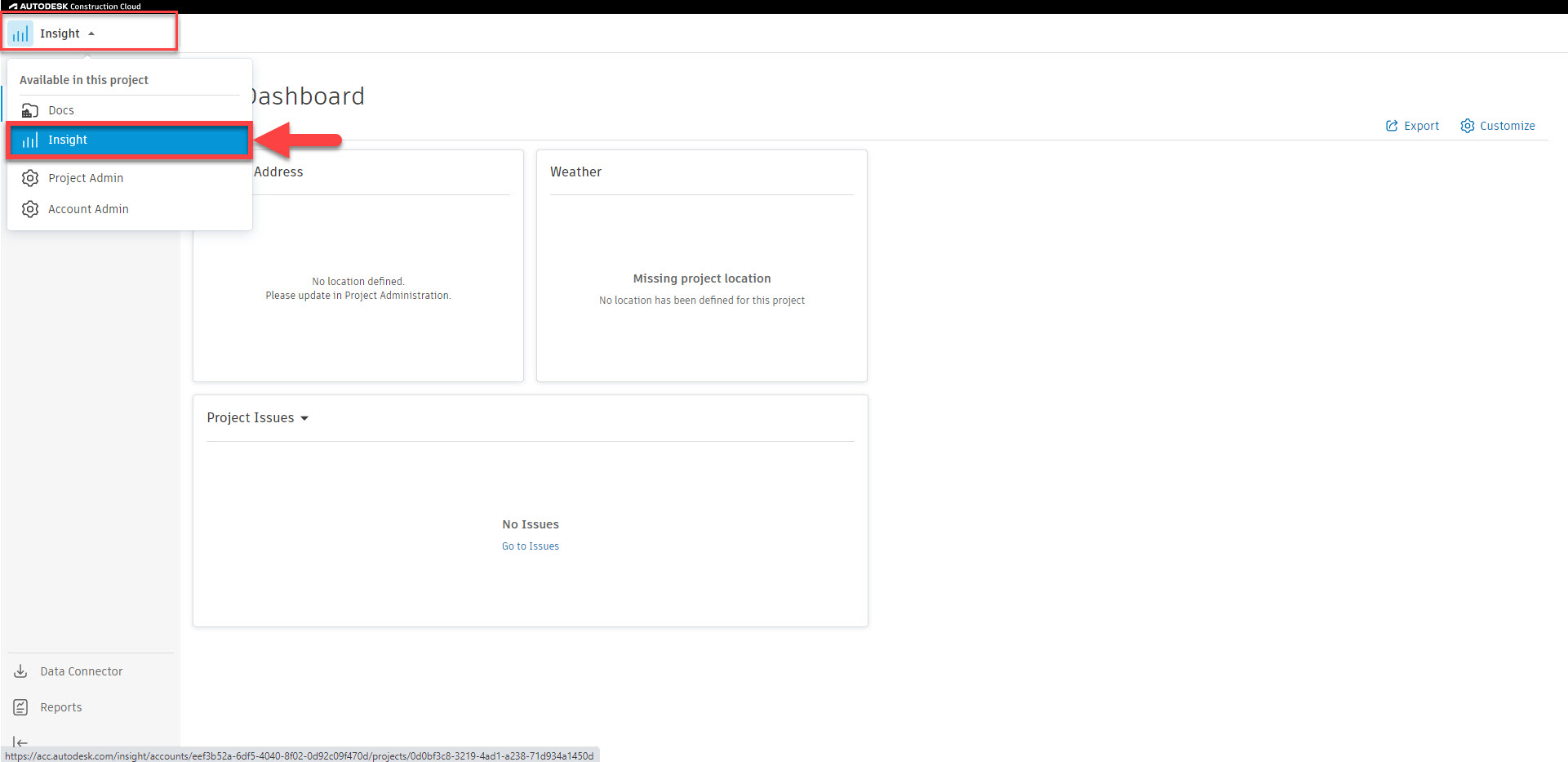
- From My Dashboard interface, click Customize.

- Click Card Library, type Cintoo in search box, select Cintoo card and click Add Card.


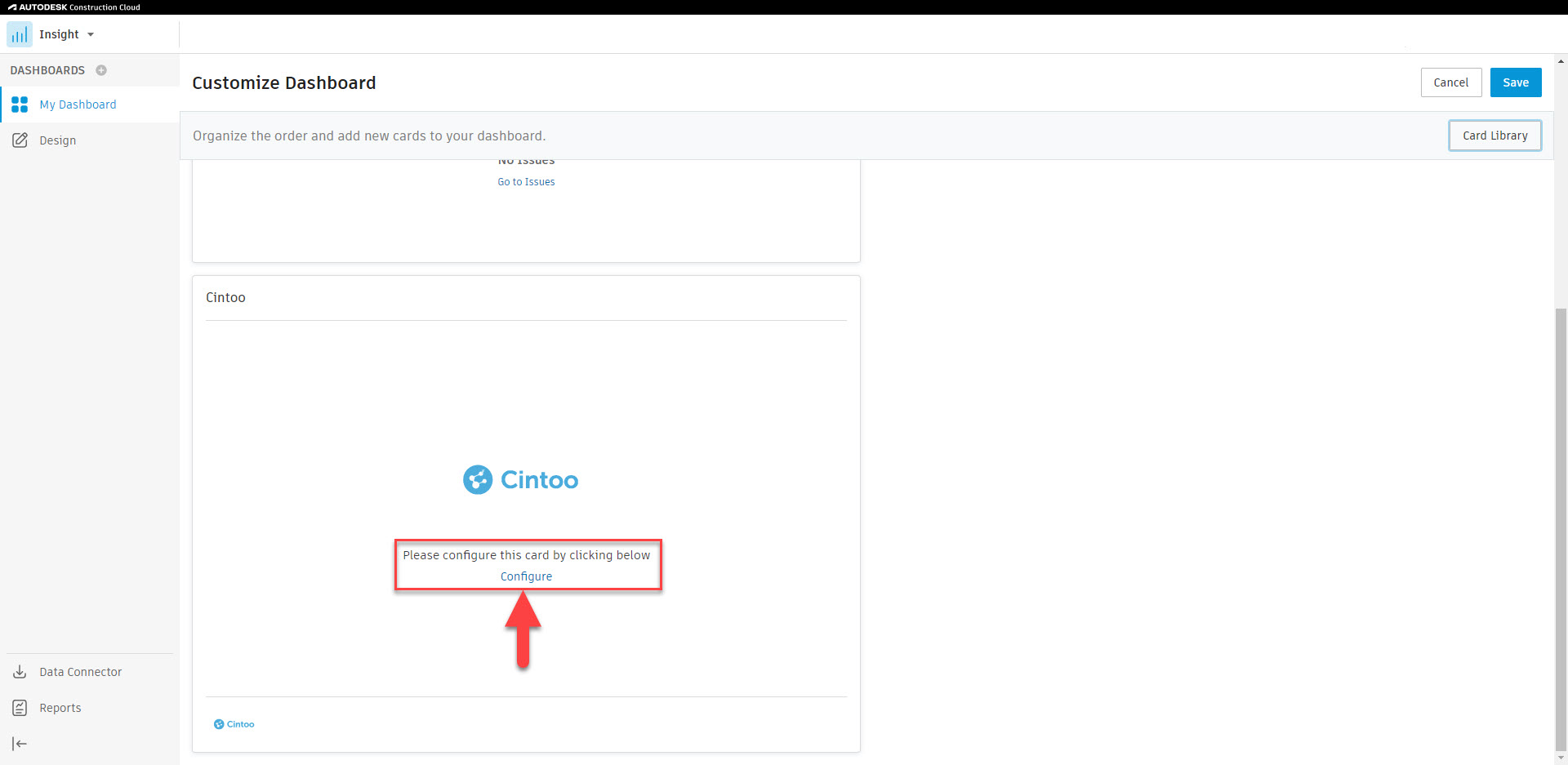
- Scroll down to Cintoo card and click Configure.

- In Cintoo project, either:
- navigate to 3D View, click Share on the navigation bar, set up a Name and click Create.
- open Share Link Explorer, click on Create share link button at the bottom, set up a Name and click Create.

- Copy the URL, paste the URL in Partner URL field in Autodesk Forma, and click Save.


- Click Save to save Cintoo card to Autodesk Forma project dashboard.

Was this article helpful?
That’s Great!
Thank you for your feedback
Sorry! We couldn't be helpful
Thank you for your feedback
Feedback sent
We appreciate your effort and will try to fix the article