This article describes how to remove members and groups from a Cintoo project.
If an adjustment of work zone level of access would be enough use the following workflow
TABLE OF CONTENTS
Remove a Member from a Project
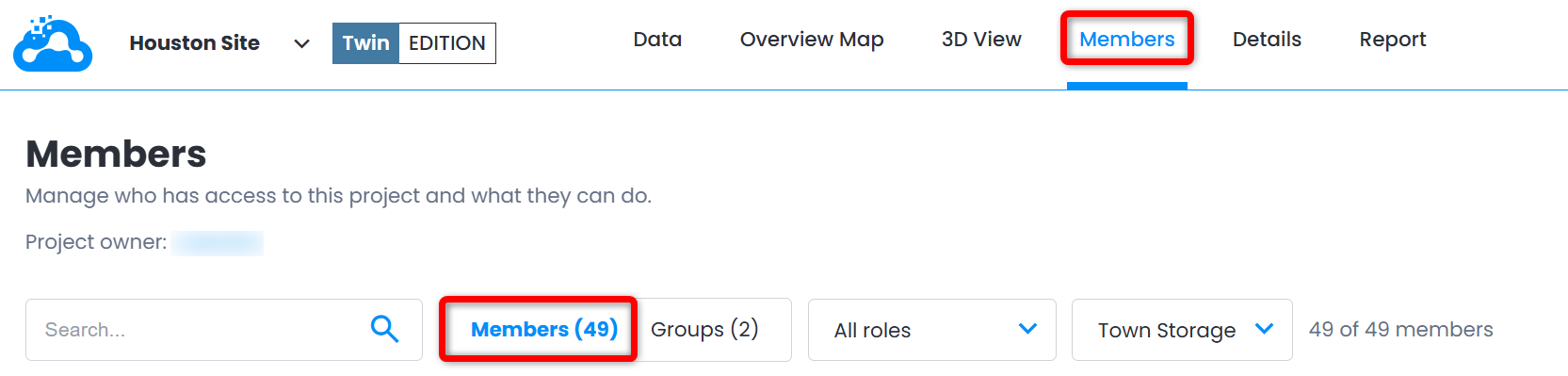
- Open a project and go to Members tab.
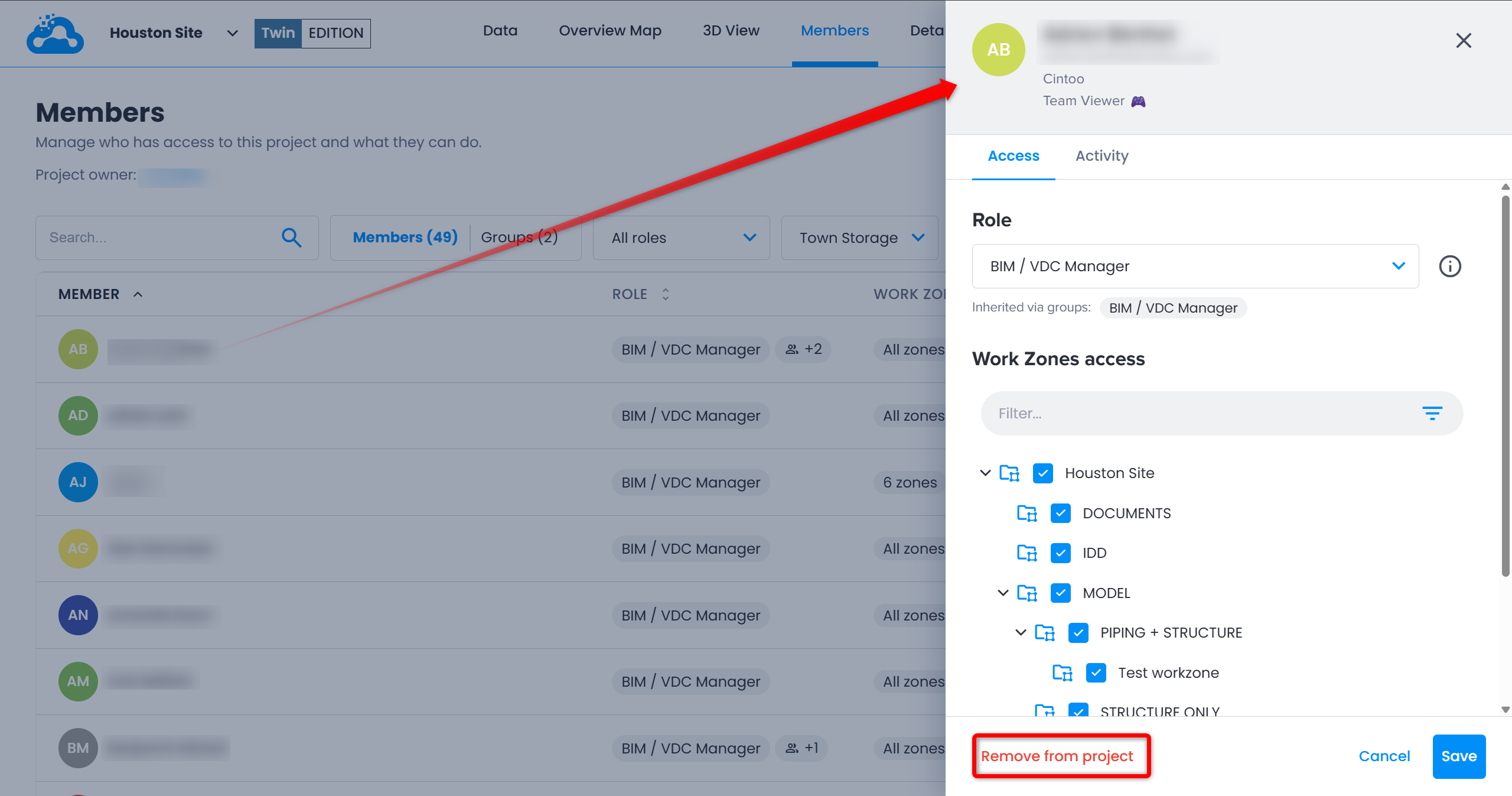
- Click member's name in Member column, or ⋮ at the end of its row, to open member details panel.
Click Remove from project at the bottom of the panel.
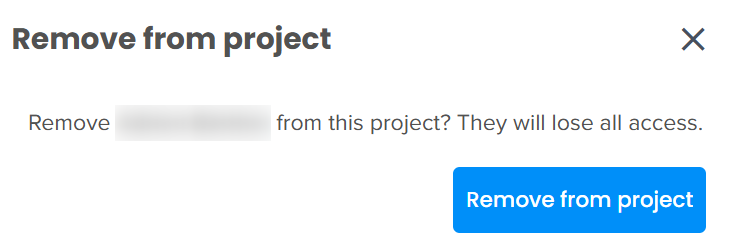
- A confirmation dialog opens: removed member loses all access to the project.
Click Remove from project to confirm.
Member disappears from members list right away. To give access back, add them again with Add member(s) window.
Remove a Group from a Project
- Open a project, go to Members tab and switch list to Groups.
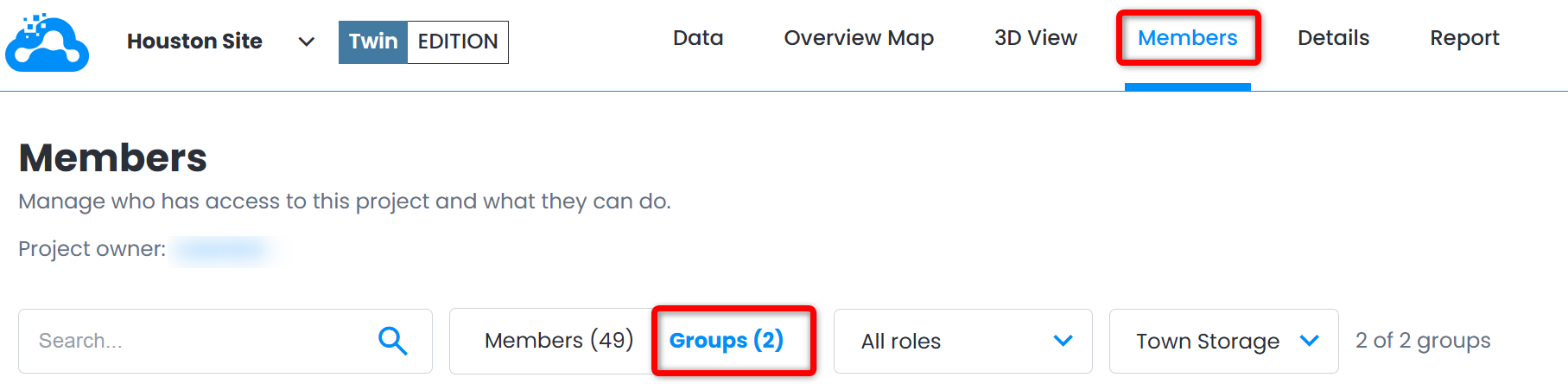
- Click group name to open group details panel.
Click Remove from project at the bottom of the panel.
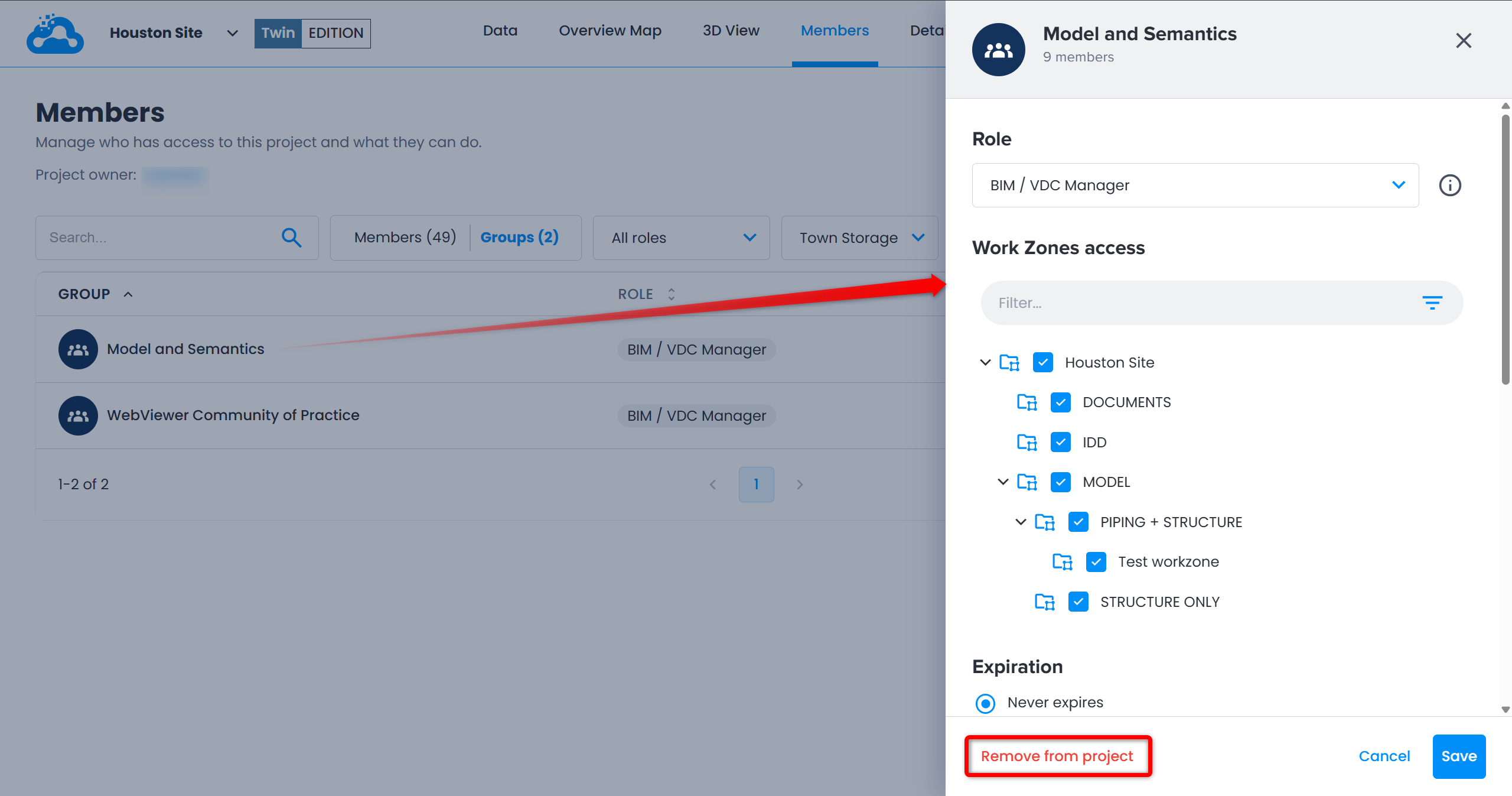
- A confirmation dialog opens: members of the group lose access inherited from it.
Click Remove from project to confirm.
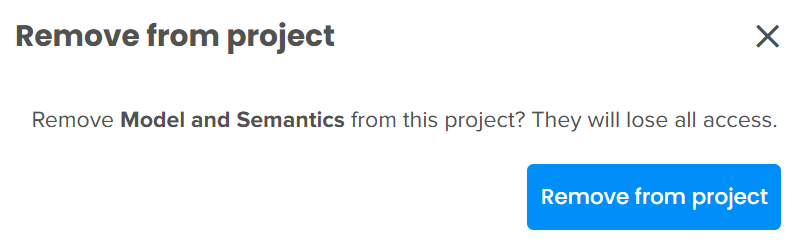
Group disappears from list right away. To give access back, add it again with Add member(s) window.
Automatic Removal
Access can also end automatically on a date set in advance, for members and for groups.
Was this article helpful?
That’s Great!
Thank you for your feedback
Sorry! We couldn't be helpful
Thank you for your feedback
Feedback sent
We appreciate your effort and will try to fix the article