This article outlines the main requirements for both Cintoo and Cintoo Connect.
TABLE OF CONTENTS
Cintoo Solution
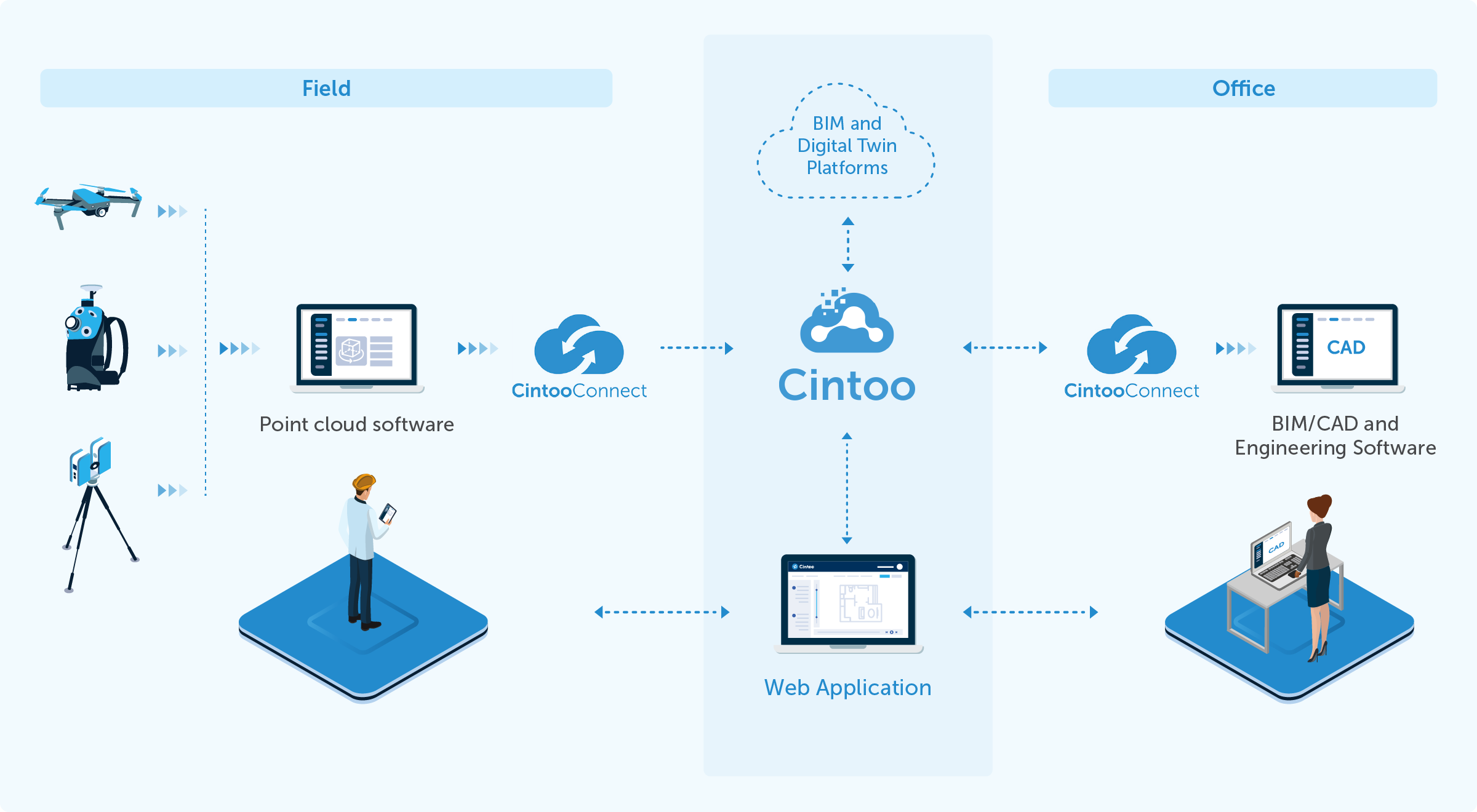
Cintoo Solution is composed of Cintoo and Cintoo Connect.
Cintoo is a cloud-based platform running on Amazon Web Services and Microsoft Azure with a Web application to manage, view, share, enrich laser scan data in a collaborative way. Cintoo can also be cloud-connected to BIM platforms such as Autodesk Forma, Newforma Konekt and Procore for Scan & BIM workflows.
Cintoo Connect is a Windows application running locally on users’ desktops or laptops, which is cloud-connected to Cintoo exclusively. The purpose of Cintoo Connect is to:
- Prepare scans (point cloud-to-mesh transformation) and upload them to Cintoo
- Download scans from Cintoo and export them in various point cloud formats
IMPORTANT
Cintoo Connect cannot be run in standalone mode on desktops or laptops. It is run only from Cintoo after the user has logged in to the platform.
Not all users need to install Cintoo Connect:
- Cintoo Connect must be installed by users who will upload laser scans from their desktop to Cintoo, or who will download scan data from Cintoo to get point cloud on their desktop.
- users that will connect to Cintoo for viewing, measuring, annotating, cropping, creating orthographic sections or elevations, etc. and who will not upload or download scan data do not need to install Cintoo Connect.
Specifications to Run Cintoo
Software
- No plug-in required
- Recommend WebGL browsers:
- Google Chrome
- Mozilla Firefox
- Microsoft Edge V79 or higher (which you can install from here)
- Microsoft Internet Explorer is not supported
Hardware
- Intel i5 or equivalent
- RAM
- at least 8 GB for tiny projects
- 16 GB is the recommended minimum configuration
- 32 GB or + for projects with thousands of scans
- A dedicated graphic board with at least 2GB of GPU memory
- 8 GB recommended for projects of several hundreds of scans
Network
Recommended Internet connection bandwidth:
- Download: 10 Mbps (megabits per second) or higher
- Upload: 1 Mbps or higher
To make sure notification emails from Cintoo reach your inbox, ask your IT Department to whitelist following sender addresses: no-reply@cintoo.com, support@cintoo.com and comms@cintoo.com.
Extra
To improve Cintoo performance or in case any graphical issues please consider checking the following settings:
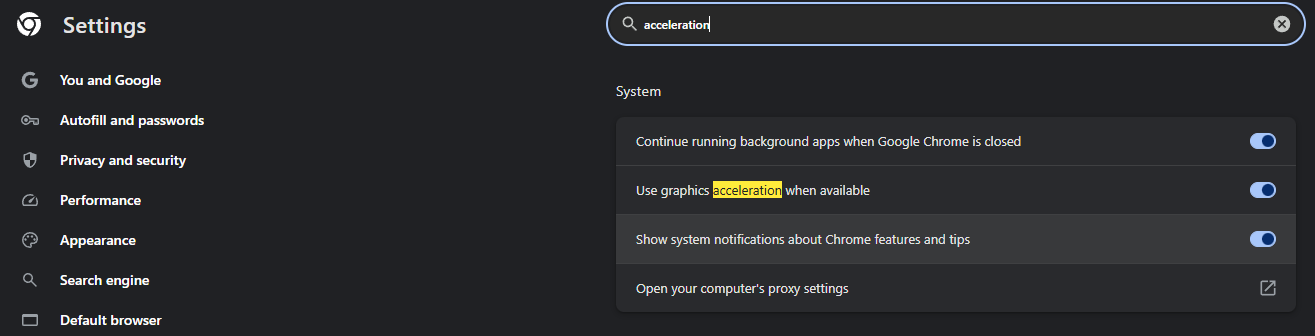
- open Chrome settings using chrome://settings/?search=acceleration and make sure Use hardware acceleration if available is enabled
- open Windows Graphic Settings through Windows menu, then in Custom options for apps, search for Google Chrome, or add it if missing. Once available, expand it and change GPU preference to use the main GPU (High performance).

Specifications to Run Cintoo Connect
Software
- Windows 10
Hardware
- Intel i5 or equivalent
- Recommended RAM depends on the size (=resolution) of source scans:
- Default setting in Cintoo Connect is to process 2 scans in parallel
- This number of scans can be reduced to 1 to reduce the RAM requirements below
- Or increased if a more powerful PC with more RAM is available
- RAM of 4 GB minimum is required to process 2 low-resolution scans (10 million points) in parallel
- RAM of 8 GB minimum is required to process 2 scans of 40 million points each in parallel
- RAM of 16 GB is required to process 2 scans of 160 million points each in parallel
- RAM of 32 GB minimum is required to process 2 scans of 640 million points each in parallel
- Graphic board: no specific requirements
Network
- Cintoo Connect will auto-detect the proxy
- If the firewall still blocks the uploads and downloads via Cintoo Connect:
- Please ask your IT Department to whitelist the following domains: aec.cintoo.com (or us.cintoo.cloud, ca.cintoo.cloud or [companyname].cintoo.cloud) and cintoo.cloud both for uploads and downloads.
- Contact support@cintoo.com if the problem persists
Was this article helpful?
That’s Great!
Thank you for your feedback
Sorry! We couldn't be helpful
Thank you for your feedback
Feedback sent
We appreciate your effort and will try to fix the article