Follow the steps below to reconnect Cintoo to Autodesk if the Autodesk Forma/BIM 360 hub is no longer displaying in Cintoo Import models panel.
Permissions: users with Account Admin access level in Autodesk Forma/BIM 360 can reconnect Cintoo to Autodesk BIM 360/Autodesk Forma.
For Autodesk Forma
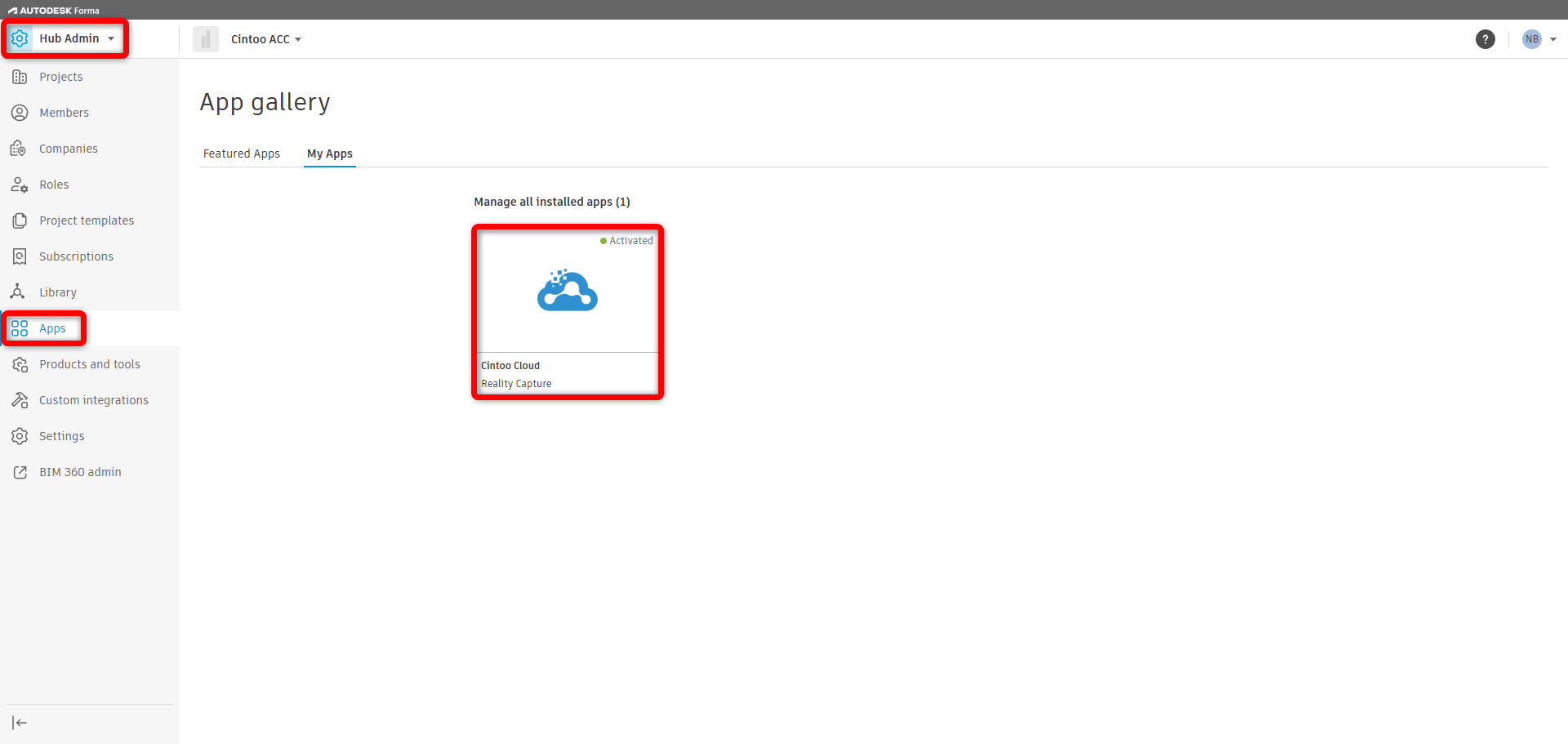
- Go to Account Admin > Apps > My Apps. Select Cintoo app.
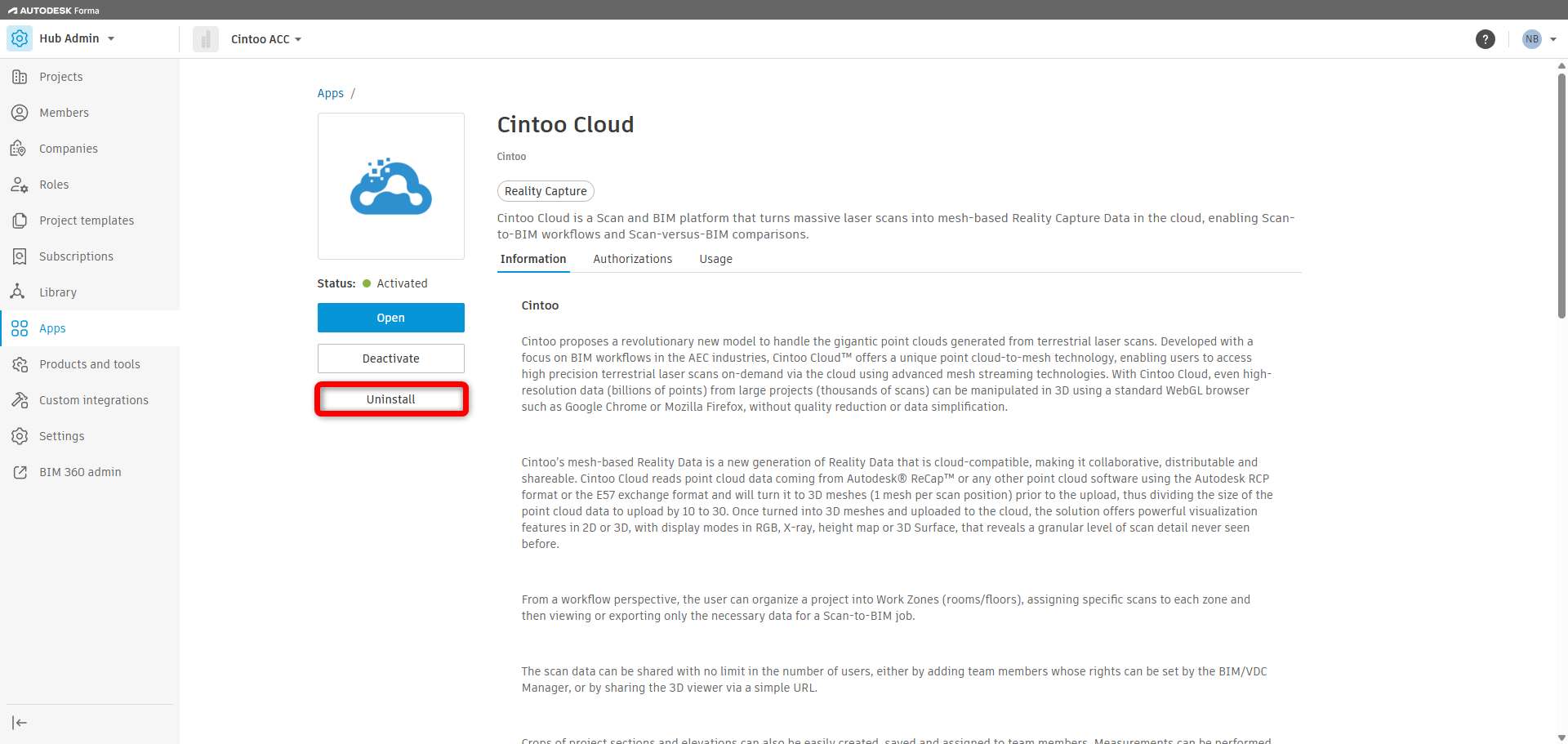
- Click Uninstall. This will not affect any previously imported model files or issues that have been pushed from Cintoo to Autodesk Forma.
- Reconnect Cintoo app following the steps in this article: Register Cintoo with Autodesk Forma.
For Autodesk BIM 360
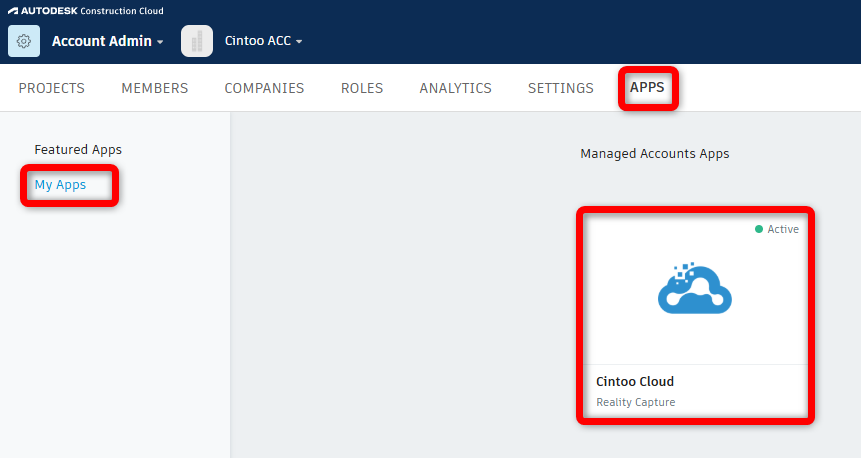
- Go to Account Admin > Apps > My Apps. Select Cintoo app.
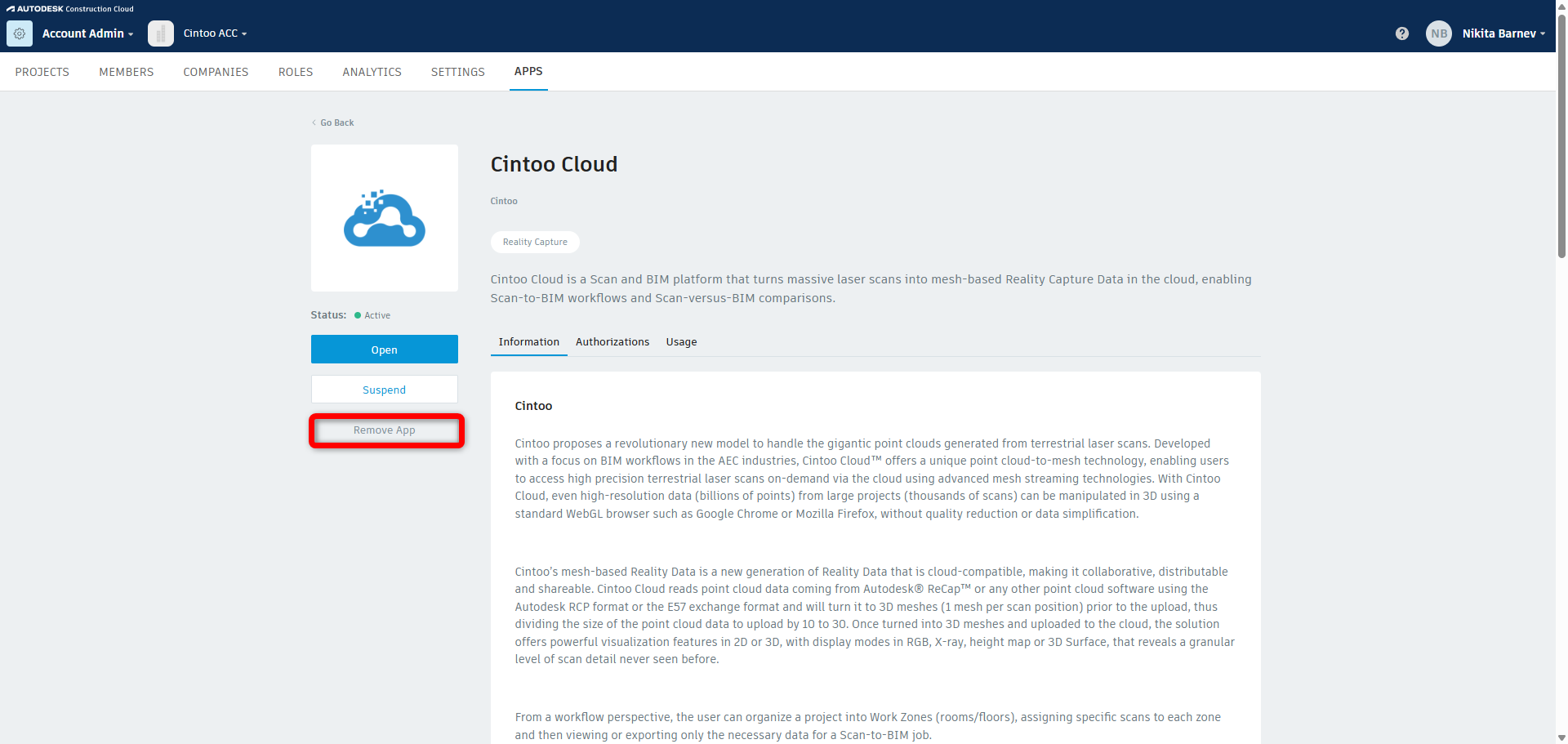
- Click Remove App. This will not affect any previously imported model files or issues that have been pushed from Cintoo to BIM 360.
- Reconnect Cintoo app following the steps in this article: Register Cintoo with Autodesk BIM 360.
Was this article helpful?
That’s Great!
Thank you for your feedback
Sorry! We couldn't be helpful
Thank you for your feedback
Feedback sent
We appreciate your effort and will try to fix the article