Follow instructions below to import documents and media to Cintoo. Supported formats are .doc, .docx, .xls, .xlsx, .csv, .ppt, .pptx, .pub, .pdf, .txt, .odt, .png, .jpg, .jpeg, .bmp, .tiff and .gif.
Permissions: users with roles including Upload and download documents permission can import documents in a Cintoo project.
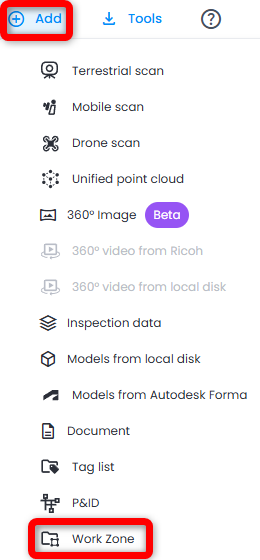
- Navigate to the desired work zone in Work Zone Explorer, or create a new work zone clicking Add then Work Zone on the top right
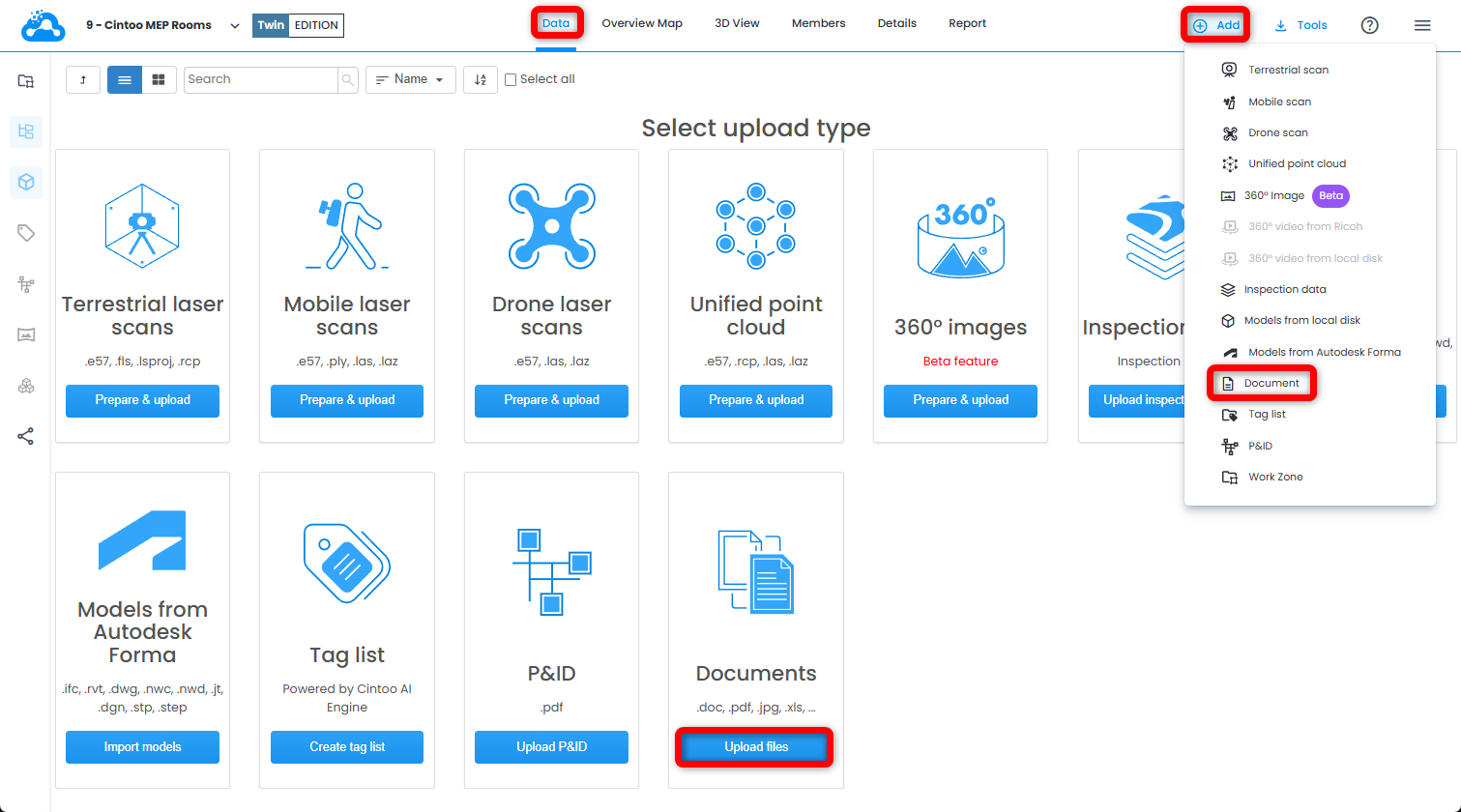
- Click Upload files on Documents tile or select Document from Add drop-down menu.
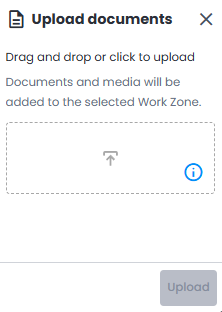
- Upload documents panel opens on the right. Drag and drop files onto it, or click upload area to browse for them. Several files can be added at once. Documents are added to the selected work zone.
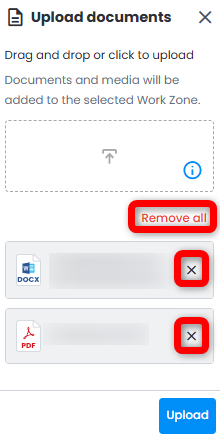
- Added files are listed in the panel. Click ✕ next to a file to remove it, or Remove all to clear the list.
- Click Upload. Upload is available once at least one file is listed. Panel closes and The files have been uploaded message is displayed once files are added to the project.
 Note: closing the panel before clicking Upload discards listed files. Closing it while an upload is in progress does not interrupt the upload.
Was this article helpful?
That’s Great!
Thank you for your feedback
Sorry! We couldn't be helpful
Thank you for your feedback
Feedback sent
We appreciate your effort and will try to fix the article