Cet article décrit les étapes à suivre pour déplacer un projet Cintoo existant d'un abonnement Cintoo à un autre.
Autorisations : seuls les utilisateurs ayant le rôle Propriétaire du compte ou Administrateur peuvent déplacer un projet vers un autre abonnement Cintoo depuis la page Administration.
Autorisations : en outre, les utilisateurs ayant le rôle Propriétaire du projet peuvent déplacer un projet vers un autre abonnement Cintoo depuis la page Mes projets.
Pour les utilisateurs ayant les rôles Propriétaire du compte et Administrateur, cette option est également disponible.
TABLE DES MATIÈRES
Depuis la page Administration
L'abonnement Cintoo qui contient le projet à transférer et l'abonnement Cintoo vers lequel le projet doit être transféré doivent relever du même compte Cintoo (c'est-à-dire que les deux abonnements Cintoo doivent figurer sous Administration dans le menu hamburger en haut à droite > Abonnements > Plans pour pouvoir suivre les étapes ci-dessous).
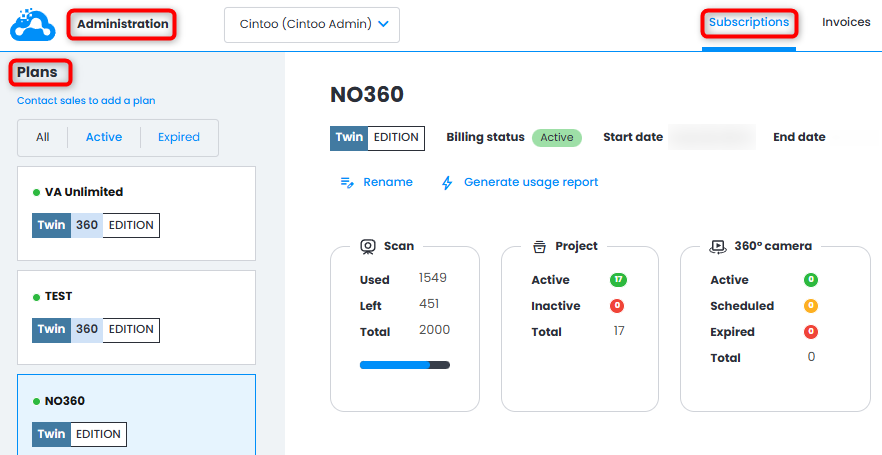
1. Accédez à Administration depuis le menu hamburger en haut à droite > Abonnements.

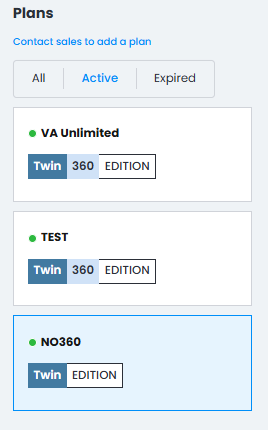
2. Choisissez, sous Plans sur le côté gauche, le plan dans lequel le projet figure.
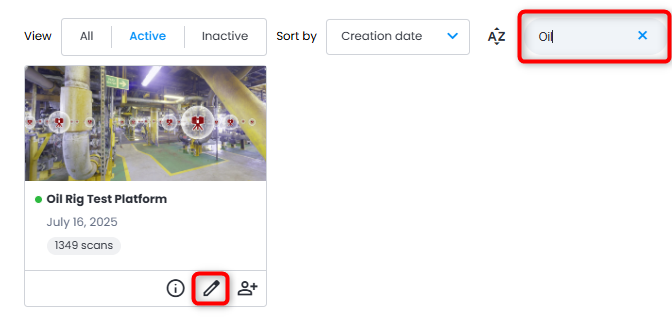
3. Repérez le projet à déplacer (utilisez les filtres ou la barre de recherche si nécessaire), puis cliquez sur Éditer le projet.
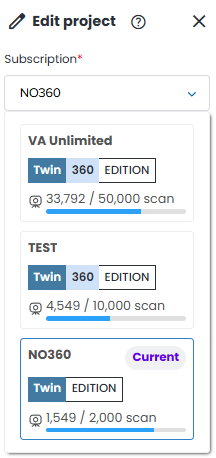
4. Dans le menu Éditer le projet, cliquez sur le menu déroulant sous Abonnement, sélectionnez le plan vers lequel le projet doit être déplacé, puis cliquez sur Mettre à jour.
Le nombre de scans restants dans le plan de destination doit être supérieur au Nombre de scans du projet déplacé.
5. Cliquez sur Mettre à jour en bas du menu. Le projet sera alors déplacé vers le plan souhaité.
Depuis la page Mes projets
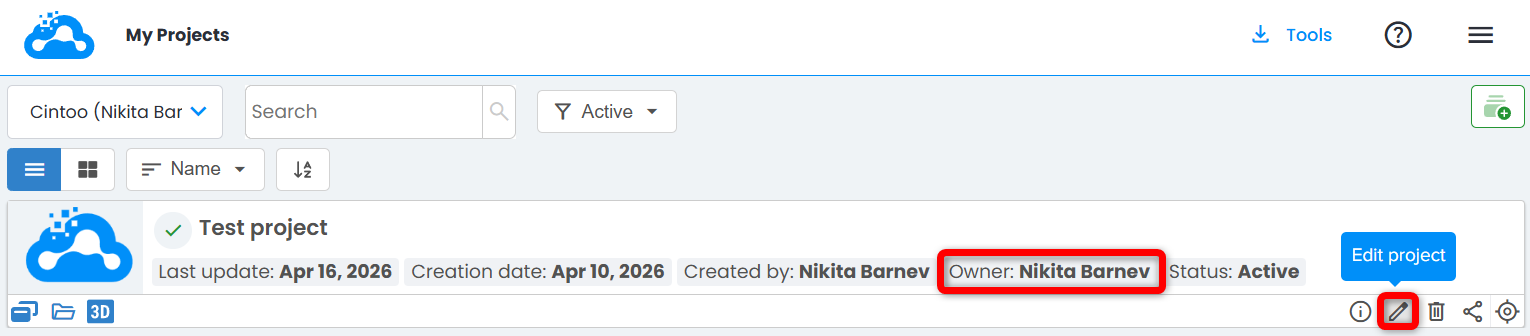
1. En tant que Propriétaire du projet, accédez à la page Mes projets. Repérez un projet que vous avez créé. Cliquez sur Éditer le projet.
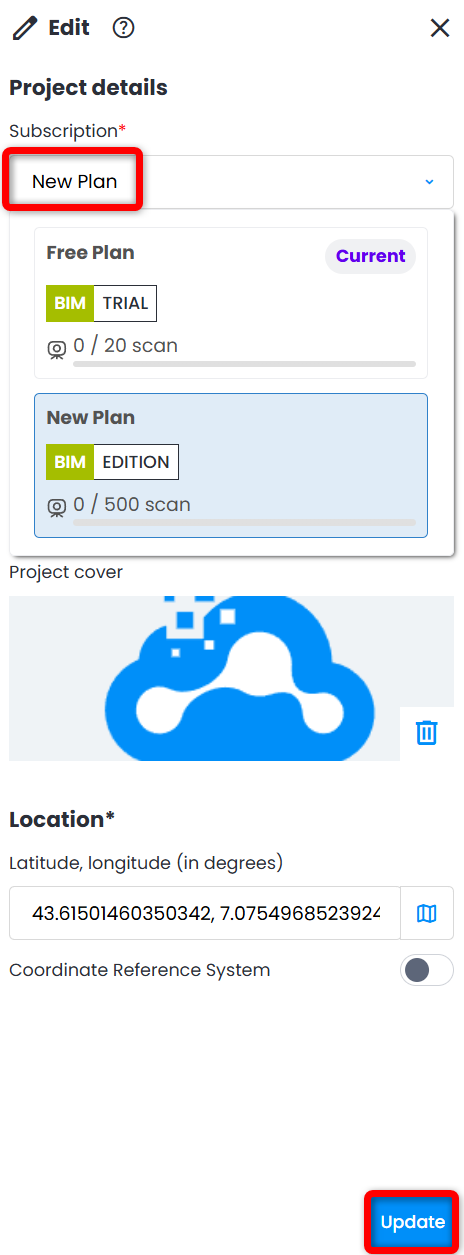
2. Dans le menu Éditer qui s'ouvre à droite, modifiez l'Abonnement à l'aide du menu déroulant.
Le nombre de scans restants dans le plan de destination doit être supérieur au Nombre de scans du projet déplacé.
Cliquez sur Mettre à jour pour appliquer la modification.
Cet article a-t-il été utile ?
C'est super !
Merci pour votre commentaire
Désolé ! Nous n'avons pas pu vous être utile
Merci pour votre commentaire
Commentaires envoyés
Nous apprécions vos efforts et nous allons corriger l'article