Cet article explique comment les utilisateurs ayant le rôle Administrateur peuvent s'ajouter à un projet Cintoo existant et comment se retirer d'un projet Cintoo.
Autorisations : les utilisateurs ayant les rôles Propriétaire du compte et Administrateur peuvent s'ajouter à n'importe quel projet d'un compte Cintoo avec le rôle BIM/VDC Manager, ou se retirer de n'importe quel projet d'un compte Cintoo.
Vous ajouter à un projet
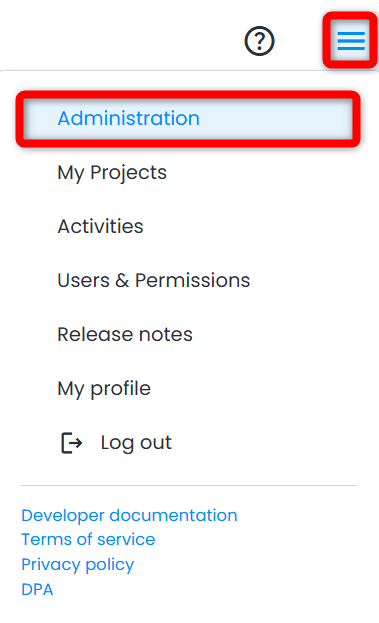
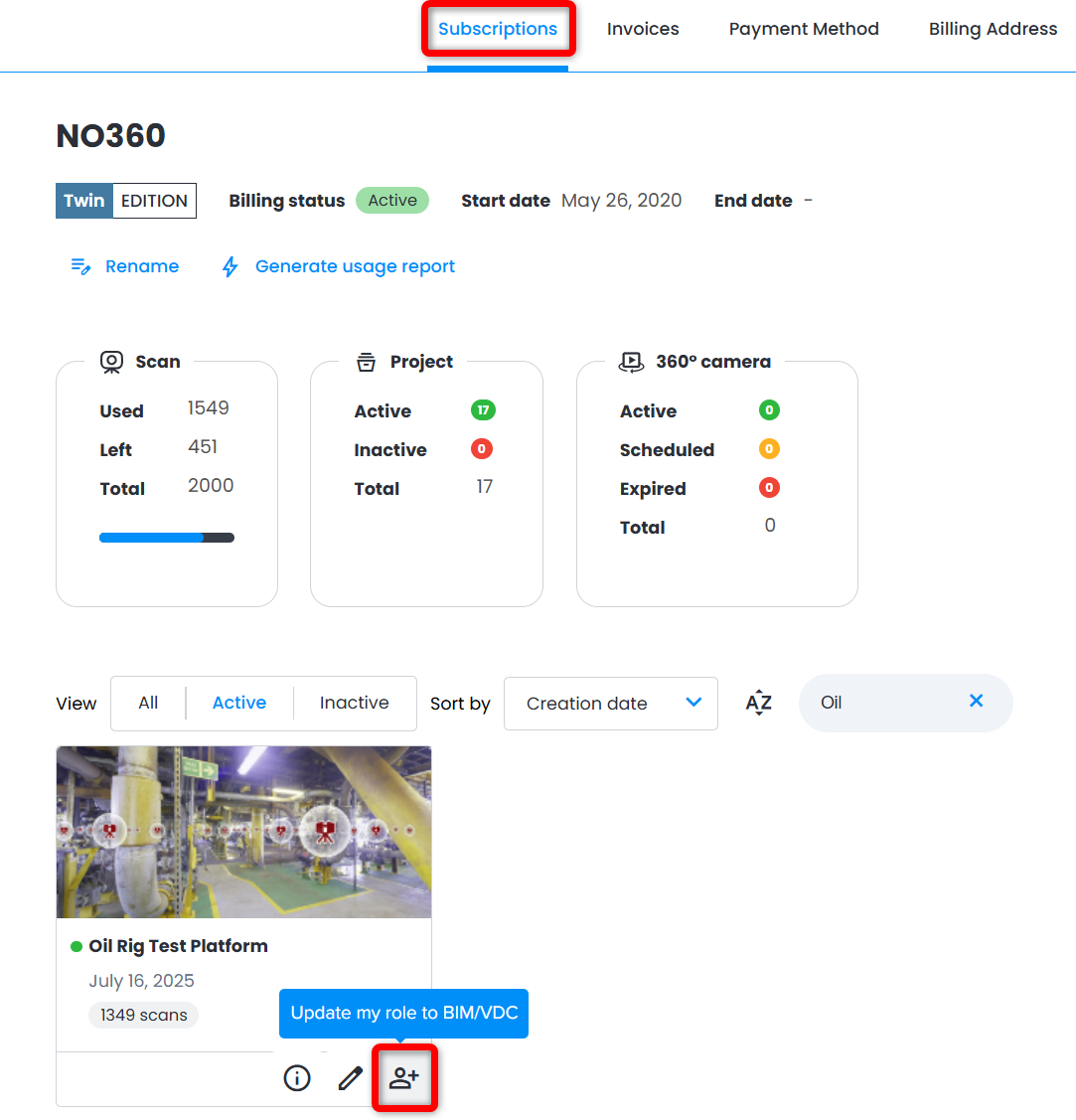
1. Accédez à Administration depuis le menu hamburger en haut à droite > onglet Abonnements.
2. Dans la partie inférieure du menu, repérez le projet souhaité, puis cliquez sur Mettre à jour mon rôle en BIM/VDC.
Vous retirer d'un projet
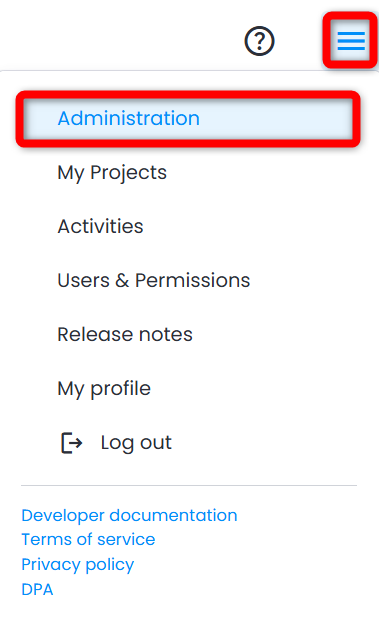
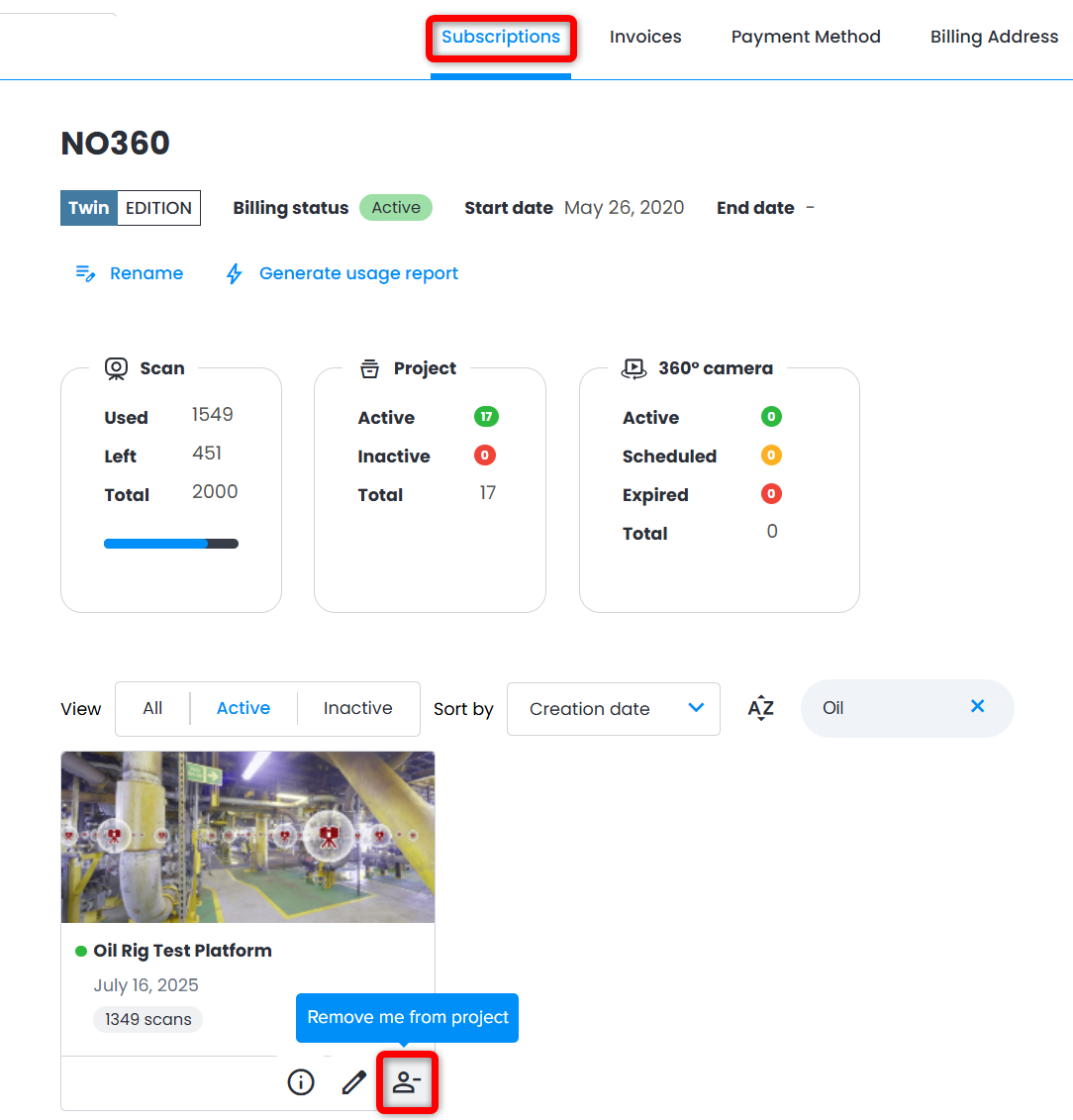
1. Accédez à Administration depuis le menu hamburger en haut à droite > page Abonnements.
2. Dans la partie inférieure du menu, repérez le projet souhaité, puis cliquez sur Retirez-moi du projet.
Cet article a-t-il été utile ?
C'est super !
Merci pour votre commentaire
Désolé ! Nous n'avons pas pu vous être utile
Merci pour votre commentaire
Commentaires envoyés
Nous apprécions vos efforts et nous allons corriger l'article