この記事では、Progress Monitoringツールから抽出したCIPMレポートを、次のものに変換するPythonスクリプトの作成方法を説明します。
- Revitモデルやその他のツールで使用できるBCFファイル
- Coverage パラメーターに基づく、問題のあるモデル要素に関連付けられた、Cintooプロジェクト内の書式設定済みの注釈
権限:注釈の管理権限を含む役割を持つユーザーは、このスクリプトを使用して注釈を作成できます。
スクリプトの例は添付ファイルに含まれています。補助スクリプトもすべて添付されています。
目次
前提条件
お好みのAIチャットボットの案内に従ってPythonをインストールします。専用の環境がインストールされていない場合は、コマンドプロンプトからPythonスクリプトを実行する手順を尋ねてください。
このPythonスクリプトでは、ワークフローを実行するために次のライブラリが使用されます。
スクリプトを使用する前に、これらをインストールします。
- png :次のコマンドを実行してライブラリを接続します
pip install pypng- requests :次のコマンドを実行してライブラリを接続します
pip install requests入力情報
コマンドプロンプトでスクリプトcreateBCF.py を実行します。その他のスクリプトはすべて補助スクリプトです。
python createBCF.py
実行すると、スクリプトによって次の情報の入力が求められます。
- CIPMの.csvレポートへのパスを入力してください :拡張子付きのCSV形式のCIPMレポートへのフルパス
例:C:\Projects\ProgressMonitoring\Walls_0.0500(Meters).csv - BCFファイルを作成するパスを入力してください :BCFファイルをローカルに作成して保存するフルパス
例:C:\Projects\ProgressMonitoring\BCF - 最小カバレッジを入力してください :ユーザーが定義する上限値で、これを厳密に下回るすべてのCoverage 値(パーセント)が対象になります。
例:スキャンカバレッジが25%未満のモデル要素のBCF/注釈を作成するには、値25を入力します - 注釈を作成するワークゾーンへのパスを入力してください :Cintooプロジェクト内のワークゾーンのフルURLアドレス。
注:このスクリプトで作成される注釈用に専用のワークゾーンを作成することを強くお勧めします。結果をより細かく管理でき、必要な場合に簡単にクリーンアップできます。
例:https://eu.cintoo.cloud/accounts/0a000a00-000a-000a-a0000aa0a00000a0/
projects/a0a0000a-aaa0000a-000a-aaaa00aaa000/workzones/aaaaaaaaaa0aaaaaaaa/data
このURLはブラウザーから直接コピーします。
認証
すべてのパラメーターを入力すると、ポップアップ表示されるブラウザーページでCintooアカウントの使用を承認するよう求められます。Allow をクリックして続行します。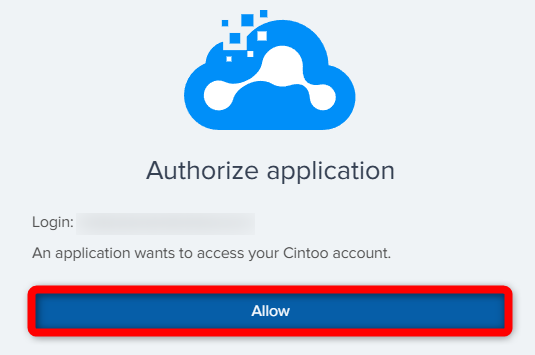
承認されると、認証が成功したことを示す次のメッセージが表示されます。このブラウザータブは安全に閉じてかまいません。

Cintoo-tokens.json:接続を確立するためにスクリプトによって作成される認証用のjsonファイルです。作業が終わるたびに削除することをお勧めします。
注:BCFと注釈の生成にかかる時間は、カバレッジレベルの値とモデル要素の数によって決まります。
制限事項
警告:APIを使用してこのスクリプトで作成できる注釈は、最大3000件であることにご注意ください。
結果
- ユーザーが定義したパスにローカルに保存されるBCFファイル。たとえばRevitで使用して、問題のあるモデル要素を検出し、修正できます

- プロジェクト内のCintoo注釈 。必要なすべてのデータが説明(編集可能)に記載され、モデル要素に視覚的に関連付けられます。

CreateBCF.pyスクリプトの解説
以下に、各部分にコメントを付けたスクリプトを示します。
警告:コードの調整が必要な場合は変更可能ですが、変更後のこのコードの機能について、Cintooは一切責任を負いません。
import csv
import os
import zipfile
import png
from createAnnotation import createAnnotation
import login
from cintooUtils import parse_cintoo_workzone_context_url
import datetime
import uuid


def create_png(path):
    width = 255
    height = 255
    img = []
    for y in range(height):
        row = ()
        for x in range(width):
            row = row + (x, max(0, 255 - x - y), y)
        img.append(row)
    with open(path, 'wb') as f:
        w = png.Writer(width, height, greyscale=False)
        w.write(f, img)
メインスクリプトをサポートするために必要なすべてのライブラリと補助スクリプトをインポートします。BCFファイルの作成に必要なテンプレートのpngを作成します。
def create_bcfzip(input_csv,
                  output_dir,
                  min_coverage,
                  tenant=None,
                  account_id=None,
                  project_id=None,
                  workzone_id=None,
                  camera_state=None,
                  headers=None):
    if not os.path.exists(output_dir):
        os.makedirs(output_dir)
    report_name = input_csv.split("\\")[-1]

    with open(input_csv, 'r', encoding='utf-8') as file:
        reader = csv.DictReader(file)
        elements_to_be_created = [row for row in reader if float(row['Coverage by Scan Data (%)']) < min_coverage]
        if len(elements_to_be_created) > 1000:
            print("More than 1000 elements have a lower score than the minimum coverage score. Only the top 1000 will be created.")
            elements_to_be_created = sorted(
                elements_to_be_created,
                key=lambda x: float(x['Coverage by Scan Data (%)']),
                reverse=True
            )[0:999]
        for row in elements_to_be_created:
            if (row.get('IfcGUID') or row.get('GlobalId')) and row.get('Coverage by Scan Data (%)'):
                print(row)
                try:
                    coverage = float(row['Coverage by Scan Data (%)'])
                    print(coverage)
                except ValueError:
                    continue
                guid = row.get('IfcGUID') or row.get('GlobalId')
                element_name = row.get('Model Element Name', 'Unknown')
                element_id = list(row.values())[0]
                print(element_id)
                create_bcf_file(guid, element_name, output_dir, coverage, report_name)
                if all([tenant, account_id, project_id, workzone_id, camera_state]):
                    createAnnotation(tenant,
                                     account_id,
                                     project_id,
                                     workzone_id,
                                     f'Low Coverage Issue: {element_name}',
                                     f"The element {element_name} has a coverage score of {coverage}, according to the report {report_name}",
                                     {"x": 0, "y": 0, "z": 0},
                                     camera_state,
                                     headers,
modelElementId=element_id)ユーザーが定義したCoverage パラメーターに基づいて取得した各要素に関連するBCFファイルを作成する関数です。
出力ディレクトリ、最小カバレッジ、テナントなどのユーザーが指定したパラメーターと、CIPMレポートの各行に含まれる既存のGUIDから、必要なデータをすべて解析し、カバレッジの比較に基づいてGUIDを抽出します。
警告:create_bcfzip関数は、データを選択する条件の動作を変更する必要がある場合(たとえばcoverage<min_coverage)を除き、変更しないことをお勧めします。注釈のテキスト、説明、ラベルを変更する場合は、create_issue_xml関数を参照してください。
def create_bcf_file(guid, element_name, output_dir, coverage, report_name):
    bcf_dir = os.path.join(output_dir, guid)
    os.makedirs(bcf_dir, exist_ok=True)
    viewpoint_guid = str(uuid.uuid4())
    comment_guid = str(uuid.uuid4())
    topic_guid = str(uuid.uuid4())
    project_guid = str(uuid.uuid4())

    viewpoint_filename = os.path.join(bcf_dir, 'viewpoint.bcfv')
    viewpoint_xml = create_viewpoint_xml(guid, viewpoint_guid)
    with open(viewpoint_filename, 'w', encoding='utf-8') as f:
        f.write(viewpoint_xml)

    issue_filename = os.path.join(bcf_dir, 'markup.bcf')
    issue_xml = create_issue_xml(element_name, coverage, report_name, viewpoint_guid, comment_guid, topic_guid)
    with open(issue_filename, 'w', encoding='utf-8') as f:
        f.write(issue_xml)

    project_filename = os.path.join(output_dir, 'project.bcfp')
    project_xml = create_project_xml(project_guid)
    with open(project_filename, 'w', encoding='utf-8') as f:
        f.write(project_xml)

    version_filename = os.path.join(output_dir, 'bcf.version')
    with open(version_filename, 'w', encoding='utf-8') as f:
        f.write(create_bcf_version())
    snapshot_filename = os.path.join(output_dir, 'snapshot.png')
    create_png(snapshot_filename)

    zip_filename = os.path.join(output_dir, f'{guid}.bcf')
    with zipfile.ZipFile(zip_filename, 'w') as zf:
        zf.write(viewpoint_filename, os.path.join(topic_guid, 'viewpoint.bcfv'))
        zf.write(issue_filename, os.path.join(topic_guid, 'markup.bcf'))
        zf.write(snapshot_filename, os.path.join(topic_guid, 'snapshot.png'))
        zf.write(project_filename, os.path.join('project.bcfp'))
        zf.write(version_filename, os.path.join('bcf.version'))

    # クリーンアップ
    os.remove(viewpoint_filename)
    os.remove(issue_filename)
    os.remove(project_filename)
    os.remove(version_filename)
    os.remove(snapshot_filename)
    os.rmdir(bcf_dir)
個別のBCFファイルを作成します。
def create_viewpoint_xml(guid, viewpoint_guid):
    return f"""<?xml version="1.0" encoding="UTF-8"?>
<VisualizationInfo Guid="{viewpoint_guid}">
	<Components>
		<ViewSetupHints SpacesVisible="false" SpaceBoundariesVisible="false" OpeningsVisible="false" />
		<Selection>
			<Component IfcGuid="{guid}" />
		</Selection>
		<Visibility DefaultVisibility="true" />
	</Components>
	<OrthogonalCamera>
		<CameraViewPoint>
			<X>129.93820633961636</X>
			<Y>-124.61204504554462</Y>
			<Z>104.47418360973809</Z>
		</CameraViewPoint>
		<CameraDirection>
			<X>-0.58963662529065941</X>
			<Y>0.5647967039409042</Y>
			<Z>-0.57735026918962584</Z>
		</CameraDirection>
		<CameraUpVector>
			<X>-0.41693605617897656</X>
			<Y>0.39937157934842415</Y>
			<Z>0.81649658092772603</Z>
		</CameraUpVector>
		<ViewToWorldScale>44.256083397559856</ViewToWorldScale>
	</OrthogonalCamera>
</VisualizationInfo>"""
デフォルトのカメラ位置を設定します。
def create_issue_xml(element_name, coverage, report_name, viewpoint_guid, comment_guid, topic_guid):
    return f"""<?xml version="1.0" encoding="UTF-8"?>
<Markup>
	<Topic Guid="{topic_guid}" TopicType="Issue" TopicStatus="Active">
		<Title>Low Coverage Issue: {element_name}</Title>
		<Priority>Normal</Priority>
		<Index>1</Index>
		<CreationDate>2025-03-05T09:22:02+00:00</CreationDate>
		<CreationAuthor>youremail@domain.com</CreationAuthor>
		<ModifiedDate>2025-03-05T09:22:03+00:00</ModifiedDate>
		<ModifiedAuthor>youremail@domain.com</ModifiedAuthor>
		<DueDate>2025-03-05T09:00:00+00:00</DueDate>
		<AssignedTo>youremail@domain.com</AssignedTo>
		<Description>The element {element_name} has a coverage score of {coverage}, according to the report {report_name}</Description>
	</Topic>
	<Comment Guid="{comment_guid}">
		<Date>2025-03-04T09:53:03+00:00</Date>
		<Author>youremail@domain.com</Author>
		<Comment>The element {element_name} has a coverage score of {coverage}, according to the report {report_name}</Comment>
		<Viewpoint Guid="{viewpoint_guid}" />
		<ModifiedDate>2025-03-04T09:53:03+00:00</ModifiedDate>
		<ModifiedAuthor>youremail@domain.com</ModifiedAuthor>
	</Comment>
	<Viewpoints Guid="{viewpoint_guid}">
		<Viewpoint>viewpoint.bcfv</Viewpoint>
		<Snapshot>snapshot.png</Snapshot>
	</Viewpoints>
</Markup>
    """
問題に関するメタデータのXMLを作成します。
次のフィールドに作成者に関する必要な情報を入力します。
- CreationAuthor - 154行目
- ModifiedAuthor - 156行目
- AssignedTo - 158行目
- Author - 163行目
- ModifiedAuthor - 167行目
def create_project_xml(projectGuid):
    return f"""<?xml version="1.0" encoding="UTF-8"?>
<ProjectExtension>
	<Project ProjectId="{projectGuid}" />
	<ExtensionSchema></ExtensionSchema>
</ProjectExtension>"""
プロジェクトを参照するファイルを作成します。
def create_extensions_xsd():
    return """<?xml version="1.0" encoding="UTF-8" standalone="no" ?>
    <schema>
        <redefine schemaLocation="markup.xsd">
            <simpleType name="Priority">
                <restriction base="Priority">
                    <enumeration value="Aucune"/>
                    <enumeration value="Faible"/>
                    <enumeration value="Moyenne"/>
                    <enumeration value="Haute"/>
                    <enumeration value="Critique"/>
                </restriction>
            </simpleType>
            <simpleType name="TopicStatus">
                <restriction base="TopicStatus">
                    <enumeration value="Assignée"/>
                    <enumeration value="En cours"/>
                    <enumeration value="Terminée"/>
                    <enumeration value="Bloquée"/>
                    <enumeration value="Validée"/>
                    <enumeration value="Archivée"/>
                </restriction>
            </simpleType>
            <simpleType name="TopicLabel">
                <restriction base="TopicLabel"/>
            </simpleType>
        </redefine>
    </schema>
    """
BCFの構造(カテゴリ)を記述します。
def create_bcf_version():
    return """<?xml version="1.0" encoding="UTF-8"?>
<Version VersionId="2.1" xsi:noNamespaceSchemaLocation="version.xsd" xmlns:xsi="http://www.w3.org/2001/XMLSchema-instance">
	<DetailedVersion>2.1 KUBUS BV</DetailedVersion>
</Version>"""
BCFのバージョン(2.1)を定義します。
def main():
    input_csv = input("Insert the path to the CIPM .csv report :")
    output_dir = input("Insert the path where BCF files should be created :")
    min_coverage = float(input("Insert the minimum coverage"))
    context_url = input("Insert the path to the workzone where to create annotations (e.g: "
                        "https://eu.cintoo.cloud/accounts/0a000a00-000a-000a-a000-0aa0a00000a0/projects/a0a0000a-aaa0"
                        "-000a-000a-aaaa00aaa000/workzones/aaaaaaaaaa0aaaaaaaa/data ")
    context_details = parse_cintoo_workzone_context_url(context_url)
    tenant, account_id, project_id, workzone_id = context_details['tenant'], context_details['accountId'], \
        context_details['projectId'], context_details['workzoneId']

    # 認証してアクセストークンを取得する
    login.load_tokens()
    token = login.get_token(tenant)
    headers = {"Authorization": f"Bearer {token}"}

    camera_state = {"type": "legacy",
                    "camerastate": {
                        "position": [0, 0, 1],
                        "rotationQuaternion": [0, 0, 0, 1],
                        "fov": 1.5708,
                        "ortho": False,
                        "overviewScale": 10,
                        "camType": "scan"},
                    }

    create_bcfzip(input_csv,
                  output_dir,
                  min_coverage,
                  tenant,
                  account_id,
                  project_id,
                  workzone_id,
                  camera_state,
                  headers)


main()スクリプトのメイン部分を定義します。ユーザーへの入力の質問、アクセストークンの取得、Cintoo API Authenticationに従ったCintooアカウントでの認証、Cintooにインポートすると変更されるデフォルトのカメラ位置、出力BCFzipファイルの作成、およびメイン関数の実行を行います。
CreateAnnotation.pyスクリプトの解説
以下に、各部分にコメントを付けたスクリプトを示します。
警告:コードの調整が必要な場合は変更可能ですが、変更後のこのコードの機能について、Cintooは一切責任を負いません。
import login
import requests
from cintooUtils import parse_cintoo_workzone_context_url

TIMEOUT = 10
メインスクリプトをサポートするために必要なすべてのライブラリと、補助スクリプトのデータをインポートします。タイムアウトパラメーターを設定します。
def getWorkzoneGuid(tenant, account_id, project_id, workzone_idv1, headers):
    url = f"{tenant}/api/2/accounts/{account_id}/projects/{project_id}/workzones"

    response = requests.get(url, headers=headers, timeout=TIMEOUT)
    response.raise_for_status()
    return [wz for wz in response.json() if wz["api1Id"] == workzone_idv1]
ユーザー入力からワークゾーンIDを抽出します。
def createAnnotation(tenant,
                     account_id,
                     project_id,
                     workzone_id,
                     title,
                     description,
                     position,
                     saved_view,
                     headers,
                     modelElementId=None,):
    """Creates a project in the specified account."""
    workzone_guid = getWorkzoneGuid(tenant, account_id, project_id, workzone_id, headers)[0]['id'].split(':')[-1]
    url = f"{tenant}/api/2/accounts/{account_id}/projects/{project_id}/annotations"
    print(f"modelElementId : {modelElementId}")
    if modelElementId:
        body = {
            'workzoneId': workzone_guid,
            'annotationType': "Note",
            'title': title,
            'description': description,
            'position': position,
            'normal': {"x": 0, "y": 0, "z": 1},
            'savedView': {**saved_view, 'modelElementId': modelElementId},
        }
    else:
        body = {
            'workzoneId': workzone_guid,
            'annotationType': "Note",
            'title': title,
            'description': description,
            'position': position,
            'normal': {"x": 0, "y": 0, "z": 1},
            'savedView': saved_view,
            'elementId': "Toto"
        }
    print(url)
    print(body)
    response = requests.post(url, headers=headers, json=body, timeout=TIMEOUT)
    print(response.text)
    response.raise_for_status()

    return response.json()
ユーザー入力からCintooの位置情報を解析し、各注釈を対応するモデル要素に関連付けます。
def main(context_url):
    context_details = parse_cintoo_workzone_context_url(context_url)
    tenant, account_id, project_id, workzone_id = context_details['tenant'], context_details['accountId'], \
        context_details['projectId'], context_details['workzoneId']

    # 認証してアクセストークンを取得する
    login.load_tokens()
    token = login.get_token(tenant)
    headers = {"Authorization": f"Bearer {token}"}

    camera_state = {"type": "legacy",
                    "camerastate": {
                        "position": [0, 0, 1],
                        "rotationQuaternion": [0, 0, 0, 1],
                        "fov": 1.5708,
                        "ortho": False,
                        "overviewScale": 10,
                        "camType": "scan"}}

    print(workzone_id)
    createAnnotation(tenant, account_id, project_id, workzone_id, "Test API", "Created with API",
                     {"x": 0, "y": 0, "z": 0}, camera_state, headers)
認証プロセス、カメラ位置の設定、Cintooプロジェクトでの注釈の作成を行うメイン関数。
この記事は役に立ちましたか?
それは素晴らしい!
フィードバックありがとうございます
お役に立てず申し訳ございません!
フィードバックありがとうございます
フィードバックを送信しました
記事の改善におけるご協力ありがとうございます。