This article describes Annotations functionality in Cintoo.
Watch tutorial video: Annotations
Permissions: users with roles including View Reality Data permission and
- View Annotations permission can visualize annotations
- Manage Annotations permission can interact with them
Follow steps below to use Annotations tool:
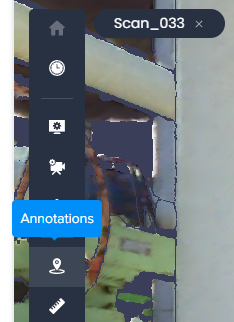
- Click Annotations icon on sidebar.
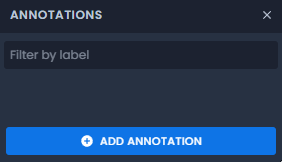
- Click Add Annotation button in Annotations window.Warning: avoid saving annotations to root work zone as with project growth managing objects would become challenging.
Instead create a dedicated work zone with a clear name to store annotations in one place or save them to same work zone where associated data is stored.
- Click on any point on 3D mesh to place Annotation marker.
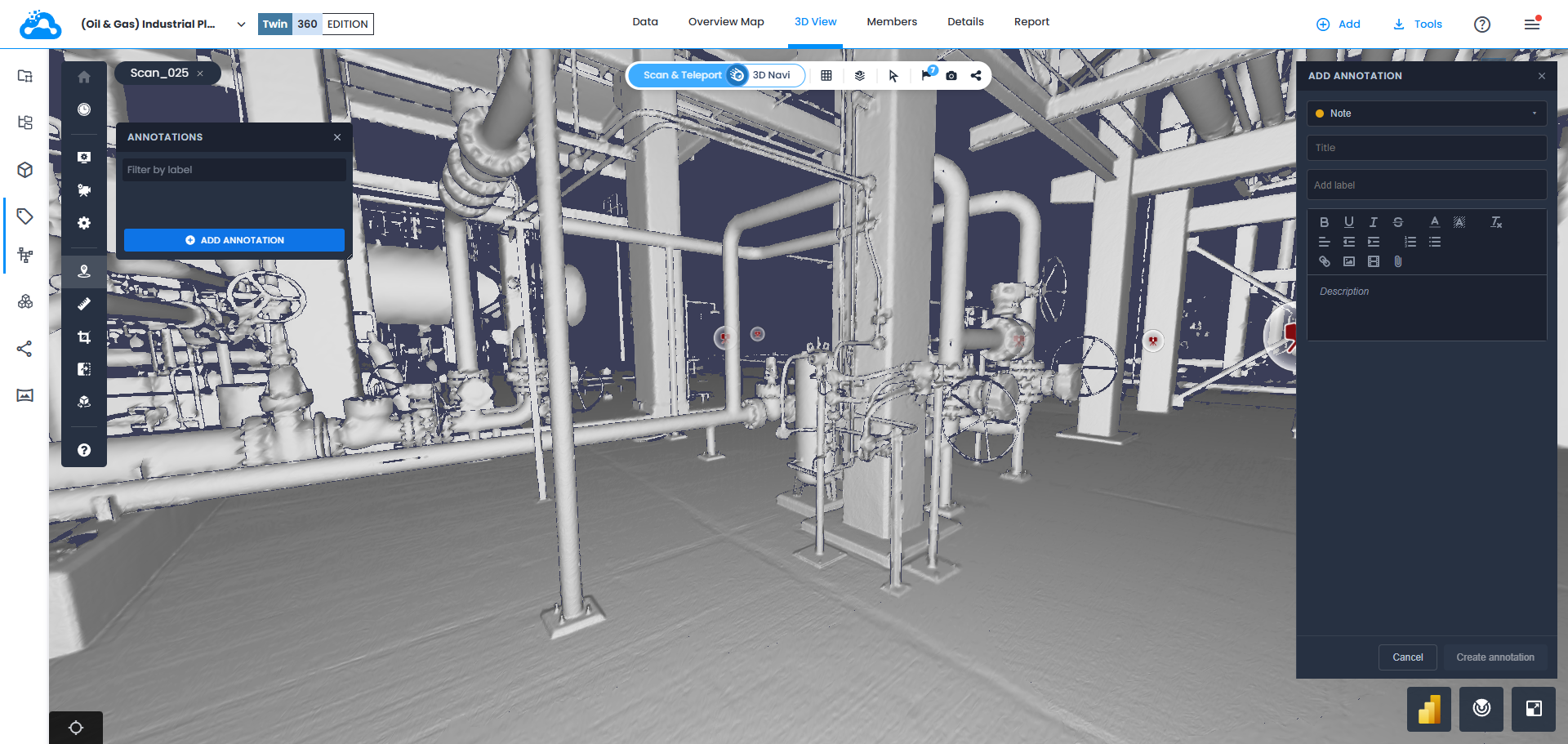
- In Add Annotation menu opened on right choose Annotation type: Note (visible for everyone), Private Note (visible exclusively for assigned user), or Issue ( Severity, Due Date and Assignee parameters available).

- Fill in required fields.
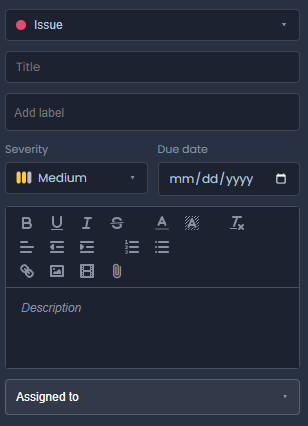 Note: using labels as defined categories, location or issue types allows to get additional flexibility and customization when searching for certain annotations or later composing a report.
 - Optionally attach link to highlighted text, image, video, or document to annotation.
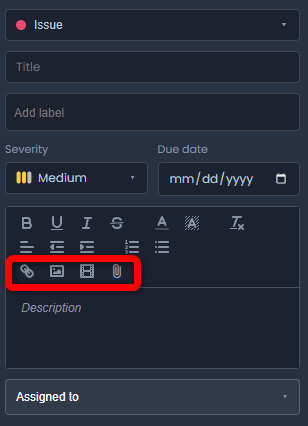
Display depends on attachment type:
- Link to highlighted text embeds directly into annotation description
- Image embeds directly into annotation description and shows immediately
- Video hosted online (for example a YouTube video) embeds directly into annotation description and can be launched from there
- Files of any format download on click; open downloaded file from browser's download notification
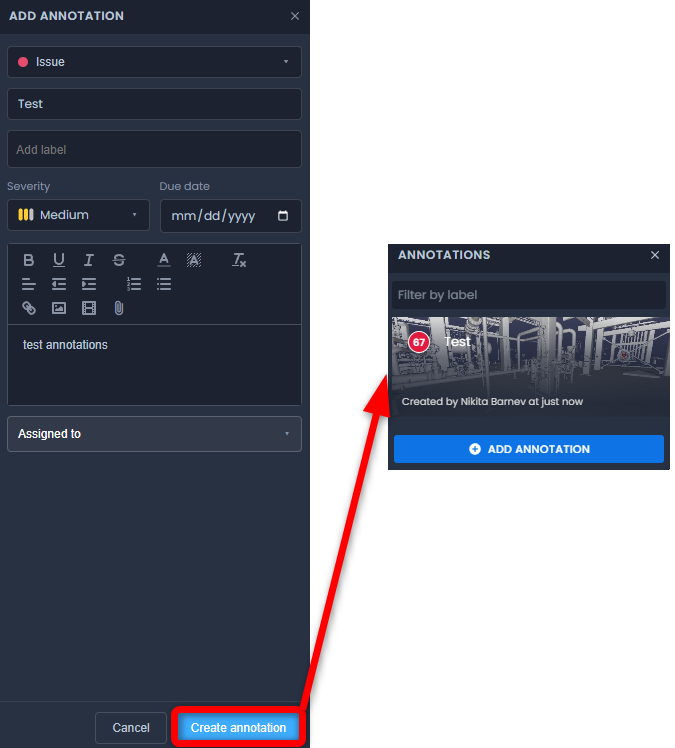
- Click Create Annotation button to save it to Annotations list.
- To push annotations to construction management software please use following instructions:
- Export annotations:
Was this article helpful?
That’s Great!
Thank you for your feedback
Sorry! We couldn't be helpful
Thank you for your feedback
Feedback sent
We appreciate your effort and will try to fix the article