This article describes how to follow tasks launched in a Cintoo project - model imports and updates, 360 video imports, exports, AI detections and Progress Monitoring reports - from Task progress panel while they run in background.
TABLE OF CONTENTS
Open Task Progress Panel
Task progress button sits on top right of project. Its badge shows number of tasks in progress.
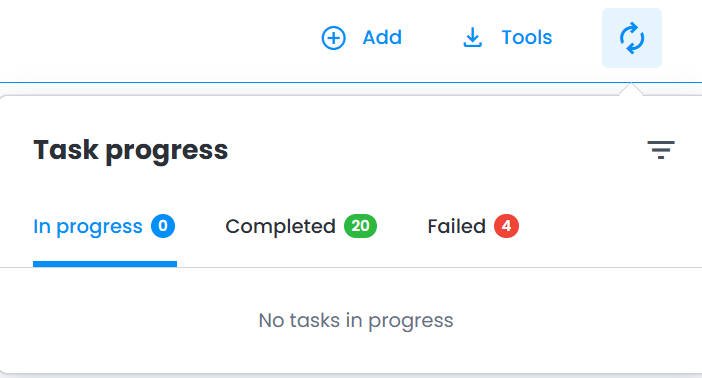
- Click Task progress button. Panel opens on In progress tab.
- To close panel, click anywhere outside it or press Esc.Note: closing panel doesn't stop tasks - they keep running in background.
Task Status Tabs
Tasks are sorted into three tabs, each showing its number of tasks:
- In progress - tasks still running
- Completed - tasks that finished successfully
- Failed - tasks that ended with an error
Panel refreshes on its own: when a task ends, it moves to Completed or Failed automatically.
Panel shows 50 latest tasks of project.
Task Cards
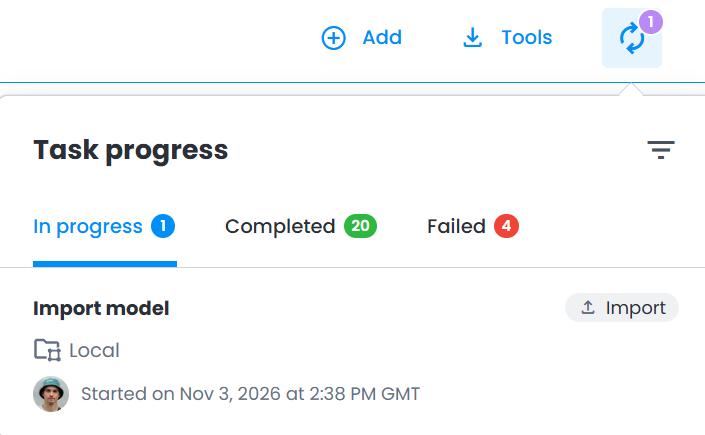
Each task is shown as a card with:
- task title - for an import, name of imported file
- type chip next to title - see Tasks Listed in Panel
- work zone where task runs, or project name for a task not tied to a work zone
- avatar of member who launched task
- start date and time, in GMT
Filter Tasks
- Click Filter tasks icon in panel header.
- Under Type, uncheck task types to hide.
- Under Launched by, select All to see tasks of all members, or You to see own tasks only.
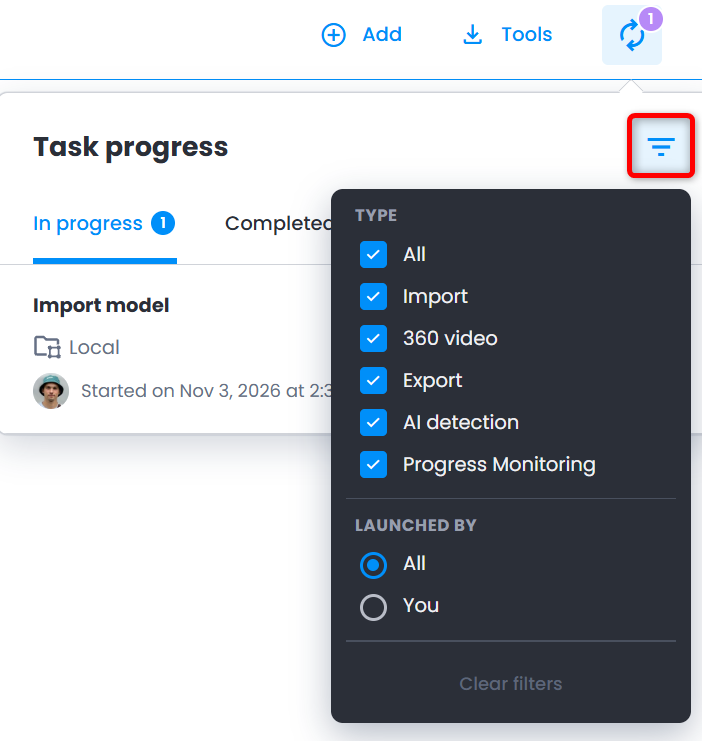
Filter tasks icon shows number of active filters, and tab counters count filtered tasks only.
Click Clear filters to list all tasks again.
Tasks Listed in Panel
Was this article helpful?
That’s Great!
Thank you for your feedback
Sorry! We couldn't be helpful
Thank you for your feedback
Feedback sent
We appreciate your effort and will try to fix the article